🎉 New: Meet Hannibal, Cynoia’s AI Assistant!
Learn more
🎉 Meet Hannibal AI!
Learn more
🎉 New: Meet Hannibal, Cynoia’s AI Assistant!
Learn more
🎉 New: Meet Hannibal AI!
Learn more
V2.1.1 – Easier Imports, Better AI
Easier Imports, Better AI
08 Dec 2025

🔄 Updates
Smarter Hannibal AI: Task description generation has been enhanced for more accurate and relevant results.
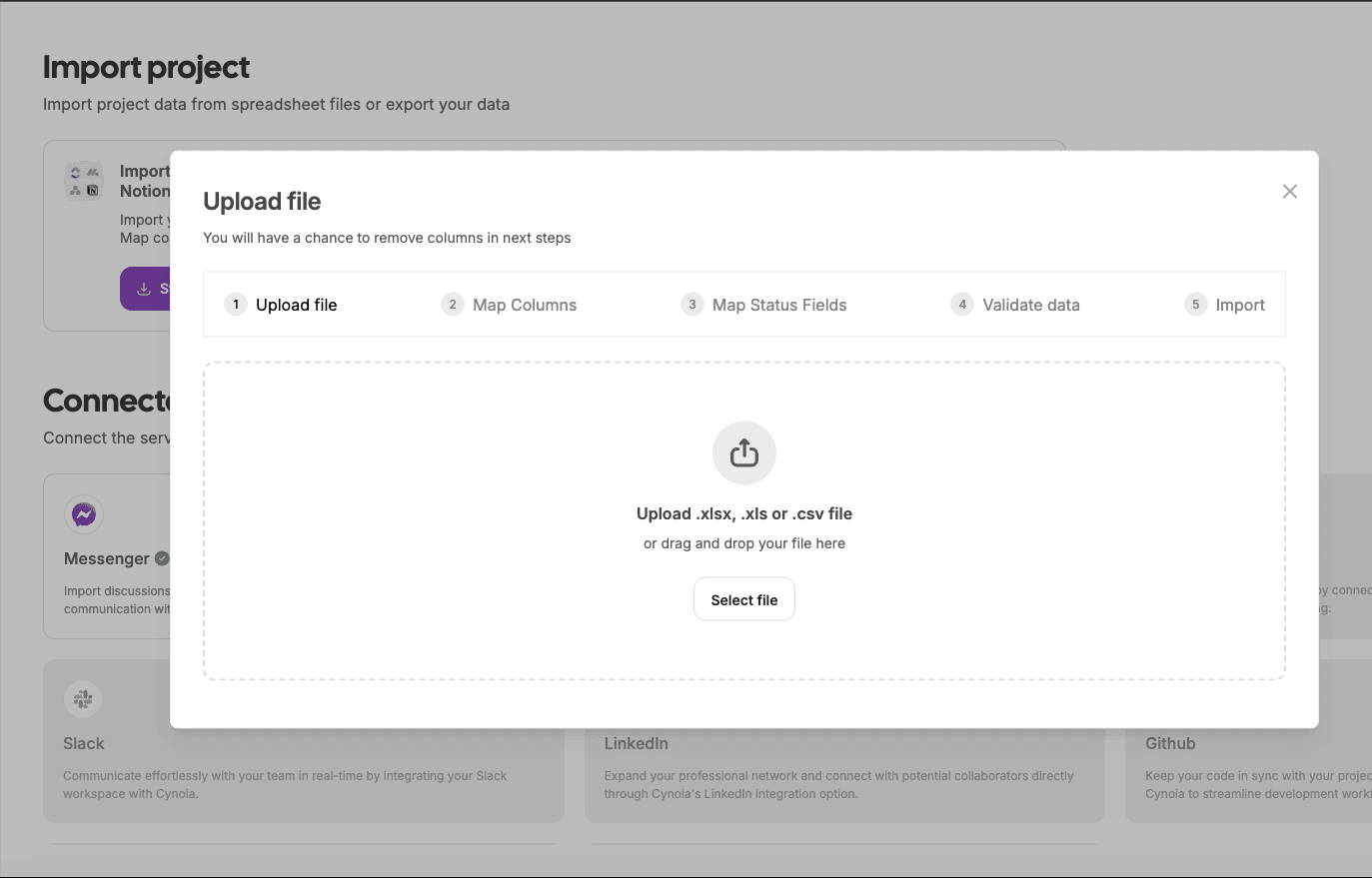
Project Import Wizard: Import projects from any tool exporting to CSV or Excel (.csv, .xlsx, .xls). Map columns, validate data, and track progress in a single, guided flow.
Today’s Events on Dashboard: When Google Calendar is connected, you can now see today’s events directly on your dashboard.
AI Token Visibility: View your AI token usage clearly to better track and manage consumption.
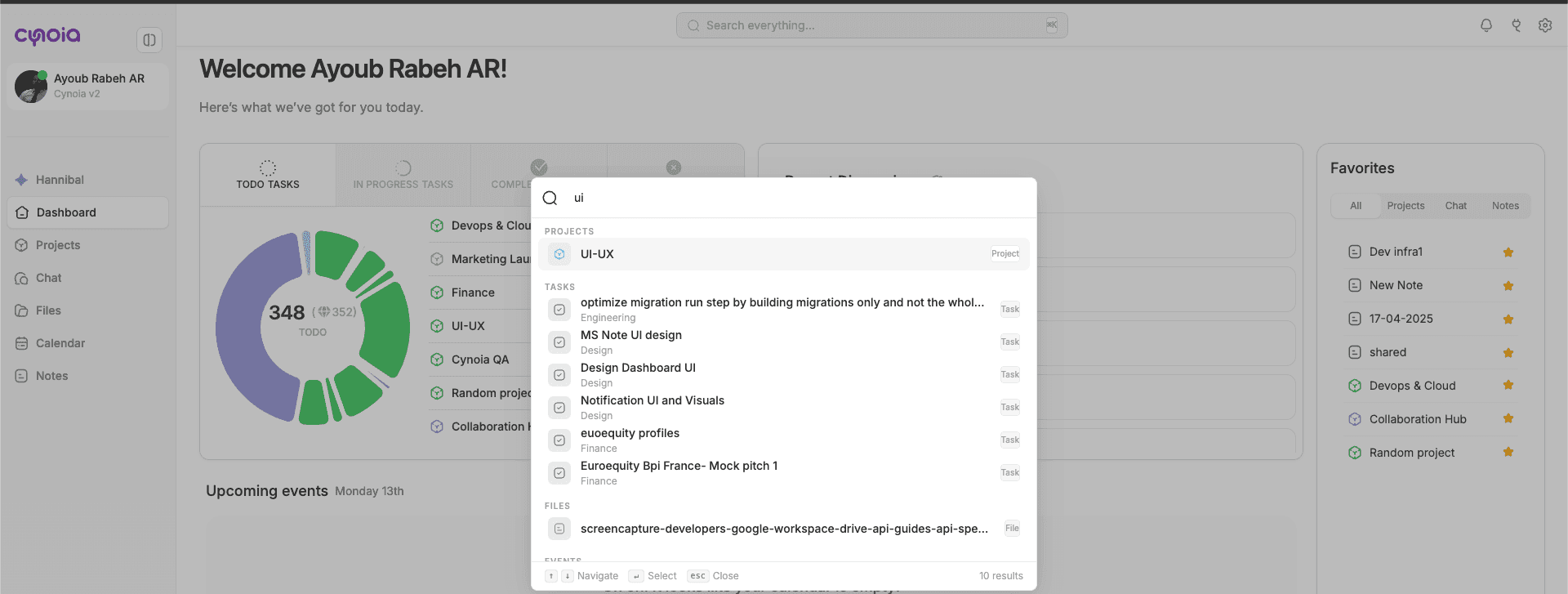
Persistent Filters: Filter states are now saved until you explicitly clear them (Projects, Workflows, Drive).
⚡ Improvements
Responsive UI Enhancements: Better experience across all screen sizes.
PDF Preview: Improved preview experience for PDF files.
Calendar Navigation: Added a “Today” button to quickly jump to the current day in monthly view.
Performance upgrade: Optimized chat performance & project requests.
🛠 Fixes
Removed chats no longer appear in Recent Discussions.
Labels on subtasks are now visible on the board.
Fixed issues with @mentions in task descriptions.
Fixed minor bugs
Recent articles:

V2.1.1 – Easier Imports, Better AI

2.1.0 - Smarter, Faster, and Now Powered by AI

2.0.9 - Better Performance, Smoother Collaboration

2.0.8 🚀 - Smarter Collaboration, Smoother Performance

2.0.7 🚀 Smarter, Faster, and More Secure

v2.0.5 Cynoia Just Got Smarter with Automations 🚀

2.0.6 📝 From Bugs to Brilliance: A Quality Update

V2.0.4 Get Organized Like Never Before !

V2.0.3 🎉 Discover New Heights with Our Latest Feature Updates!

V2.0.2 New updates, Enhancements, and Fixes

V2.0.1 - New Features, Enhancements, and Fixes

V2.0.0 Bug fixing + stabilizing
V2.1.1 – Easier Imports, Better AI
Easier Imports, Better AI
08 Dec 2025

🔄 Updates
Smarter Hannibal AI: Task description generation has been enhanced for more accurate and relevant results.
Project Import Wizard: Import projects from any tool exporting to CSV or Excel (.csv, .xlsx, .xls). Map columns, validate data, and track progress in a single, guided flow.
Today’s Events on Dashboard: When Google Calendar is connected, you can now see today’s events directly on your dashboard.
AI Token Visibility: View your AI token usage clearly to better track and manage consumption.
Persistent Filters: Filter states are now saved until you explicitly clear them (Projects, Workflows, Drive).
⚡ Improvements
Responsive UI Enhancements: Better experience across all screen sizes.
PDF Preview: Improved preview experience for PDF files.
Calendar Navigation: Added a “Today” button to quickly jump to the current day in monthly view.
Performance upgrade: Optimized chat performance & project requests.
🛠 Fixes
Removed chats no longer appear in Recent Discussions.
Labels on subtasks are now visible on the board.
Fixed issues with @mentions in task descriptions.
Fixed minor bugs
Recent articles:

V2.1.1 – Easier Imports, Better AI

2.1.0 - Smarter, Faster, and Now Powered by AI

2.0.9 - Better Performance, Smoother Collaboration

2.0.8 🚀 - Smarter Collaboration, Smoother Performance

2.0.7 🚀 Smarter, Faster, and More Secure

v2.0.5 Cynoia Just Got Smarter with Automations 🚀

2.0.6 📝 From Bugs to Brilliance: A Quality Update

V2.0.4 Get Organized Like Never Before !

V2.0.3 🎉 Discover New Heights with Our Latest Feature Updates!

V2.0.2 New updates, Enhancements, and Fixes

V2.0.1 - New Features, Enhancements, and Fixes

V2.0.0 Bug fixing + stabilizing
V2.1.1 – Easier Imports, Better AI
Easier Imports, Better AI
08 Dec 2025

🔄 Updates
Smarter Hannibal AI: Task description generation has been enhanced for more accurate and relevant results.
Project Import Wizard: Import projects from any tool exporting to CSV or Excel (.csv, .xlsx, .xls). Map columns, validate data, and track progress in a single, guided flow.
Today’s Events on Dashboard: When Google Calendar is connected, you can now see today’s events directly on your dashboard.
AI Token Visibility: View your AI token usage clearly to better track and manage consumption.
Persistent Filters: Filter states are now saved until you explicitly clear them (Projects, Workflows, Drive).
⚡ Improvements
Responsive UI Enhancements: Better experience across all screen sizes.
PDF Preview: Improved preview experience for PDF files.
Calendar Navigation: Added a “Today” button to quickly jump to the current day in monthly view.
Performance upgrade: Optimized chat performance & project requests.
🛠 Fixes
Removed chats no longer appear in Recent Discussions.
Labels on subtasks are now visible on the board.
Fixed issues with @mentions in task descriptions.
Fixed minor bugs
Recent articles:

V2.1.1 – Easier Imports, Better AI

2.1.0 - Smarter, Faster, and Now Powered by AI

2.0.9 - Better Performance, Smoother Collaboration

2.0.8 🚀 - Smarter Collaboration, Smoother Performance

2.0.7 🚀 Smarter, Faster, and More Secure

v2.0.5 Cynoia Just Got Smarter with Automations 🚀

2.0.6 📝 From Bugs to Brilliance: A Quality Update

V2.0.4 Get Organized Like Never Before !

V2.0.3 🎉 Discover New Heights with Our Latest Feature Updates!

V2.0.2 New updates, Enhancements, and Fixes

V2.0.1 - New Features, Enhancements, and Fixes

V2.0.0 Bug fixing + stabilizing
Latest posts
Discover other posts in our blog
Simplify your projects today for free
No credit card · 14-day unlimited free trial · 10 free users forever
Simplify your projects today for free
No credit card · 14-day unlimited free trial · 10 free users forever
Simplify your projects today for free
No credit card · 14-day unlimited free trial · 10 free users forever