V3.0.0 – Code, Time, and a Workspace That Fits

Our biggest release yet: GitHub & GitLab linked to your tasks, a full weekly Timesheet with approvals and reports, a dashboard you arrange yourself, inline editing on task cards, and a cleaner, more accessible workspace.

🌟 Major Features

🔗 GitHub & GitLab Integration

  • Connect GitHub or GitLab and see your code work next to your tasks.

  • Copy a task's branch name in one click. Pull requests and merge requests that mention the task are linked automatically.

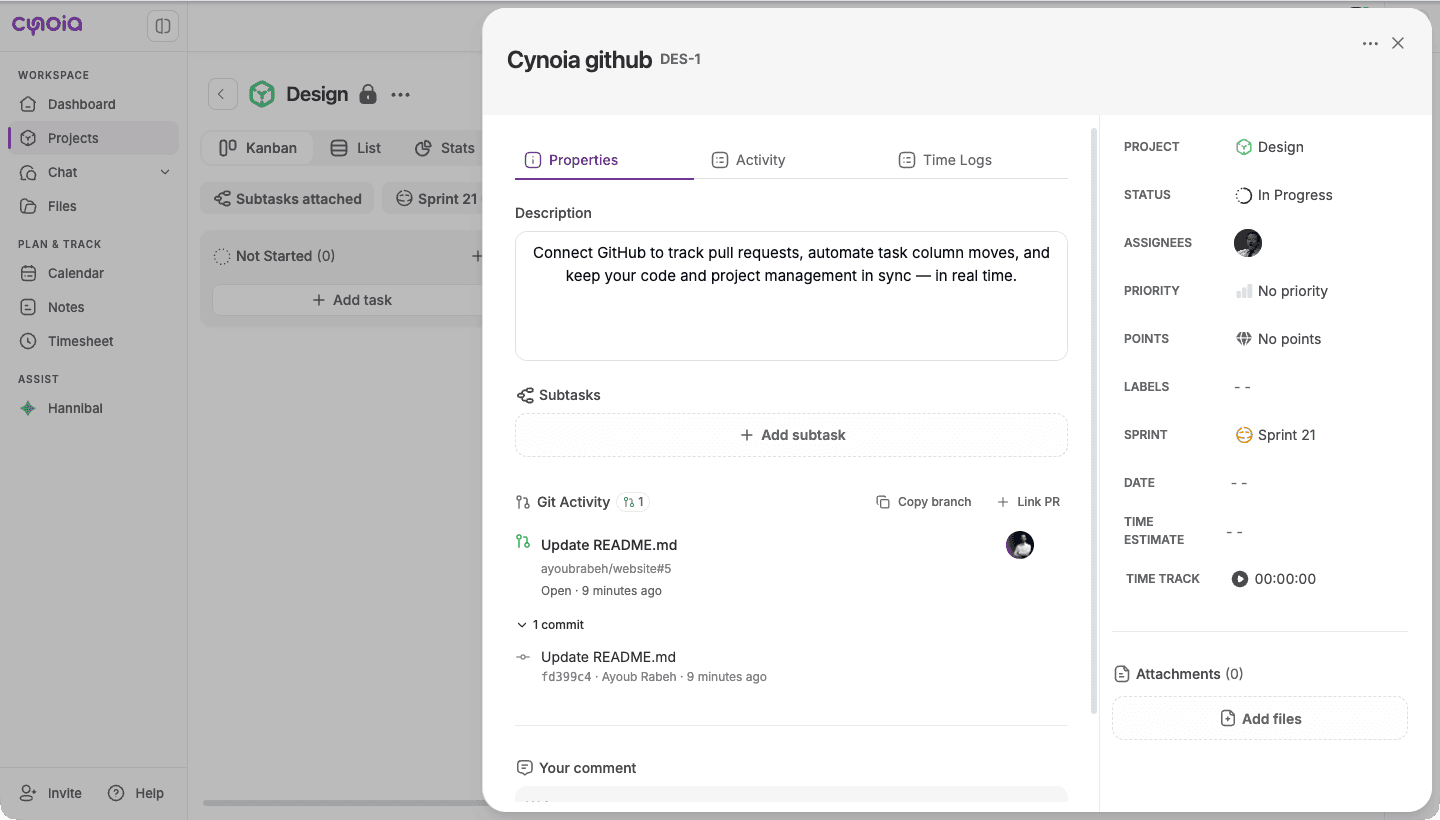
  • Task cards show pull request status. Hover the badge to preview the linked requests.

Pull request preview on a task card
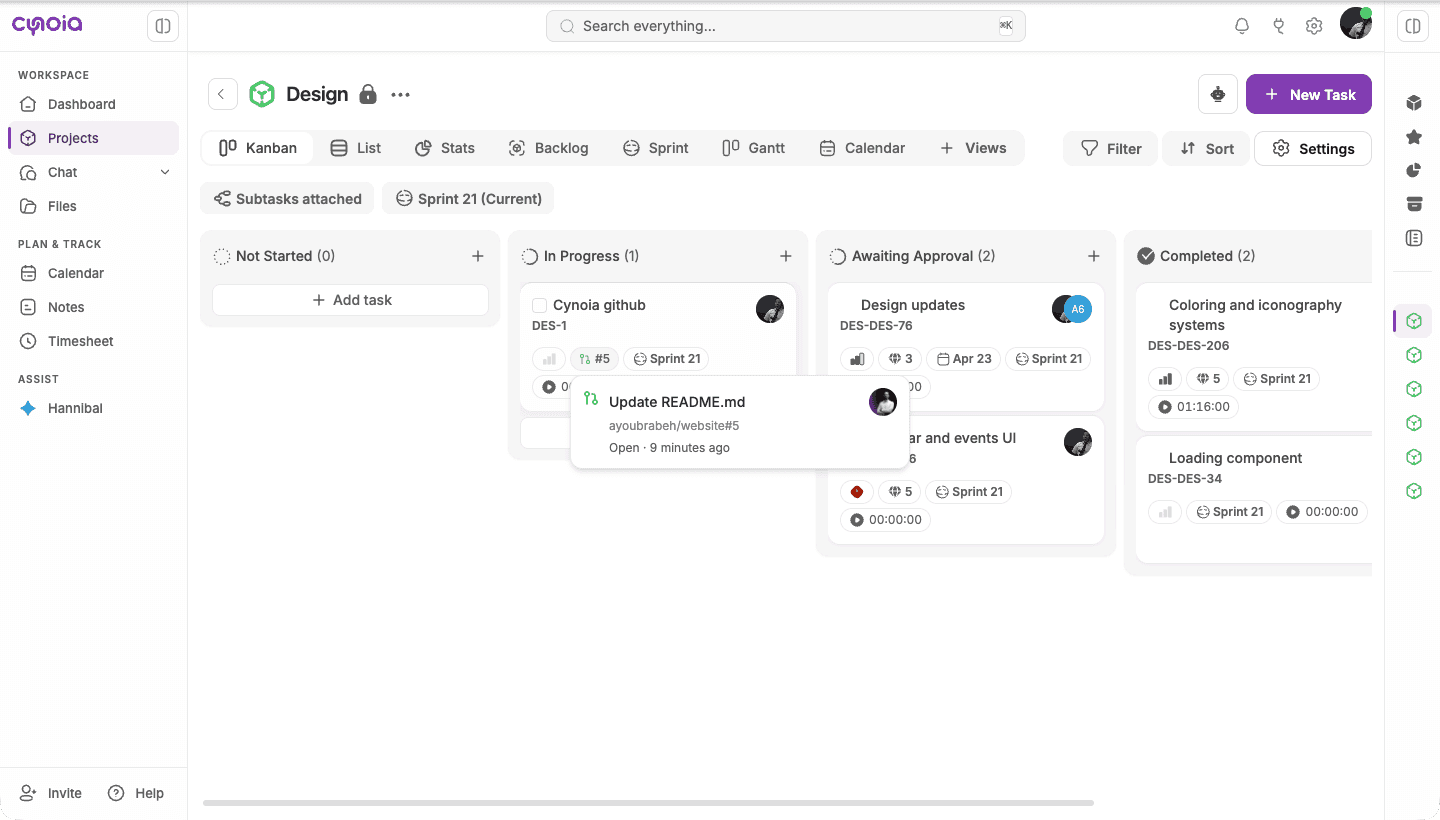
  • Git Activity panel lists commits, reviews, and CI results as they happen.

Git Activity panel in a task
  • Branch rules move tasks between columns when a branch is created or a pull request is opened, reviewed, merged, or closed. Rules can be set per branch.

  • If a GitLab token expires, Cynoia warns you and lets you reconnect in place. Missed updates sync automatically.

⏱ Timesheet

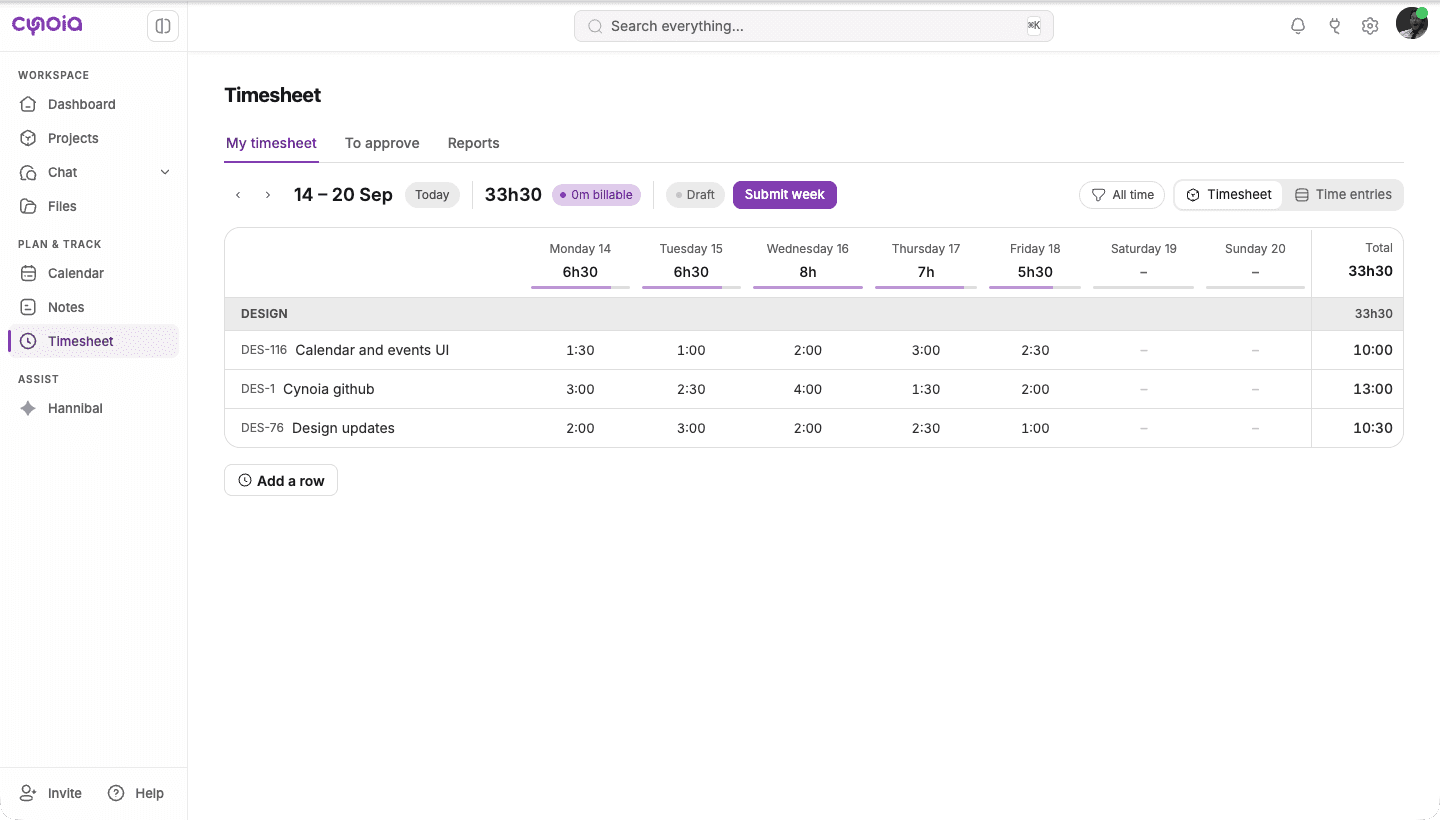
  • Log your whole week from one grid. Type time into a cell, or start a timer on a row.

  • Track tasks, projects, and non-project activities such as meetings or training.

Timesheet weekly grid
  • Submit your week. Moderators approve, reject with a reason, or reopen entries from an approval queue. Approved time is locked.

  • Reports summarize and filter logged time and export it to CSV, Excel, or PDF.

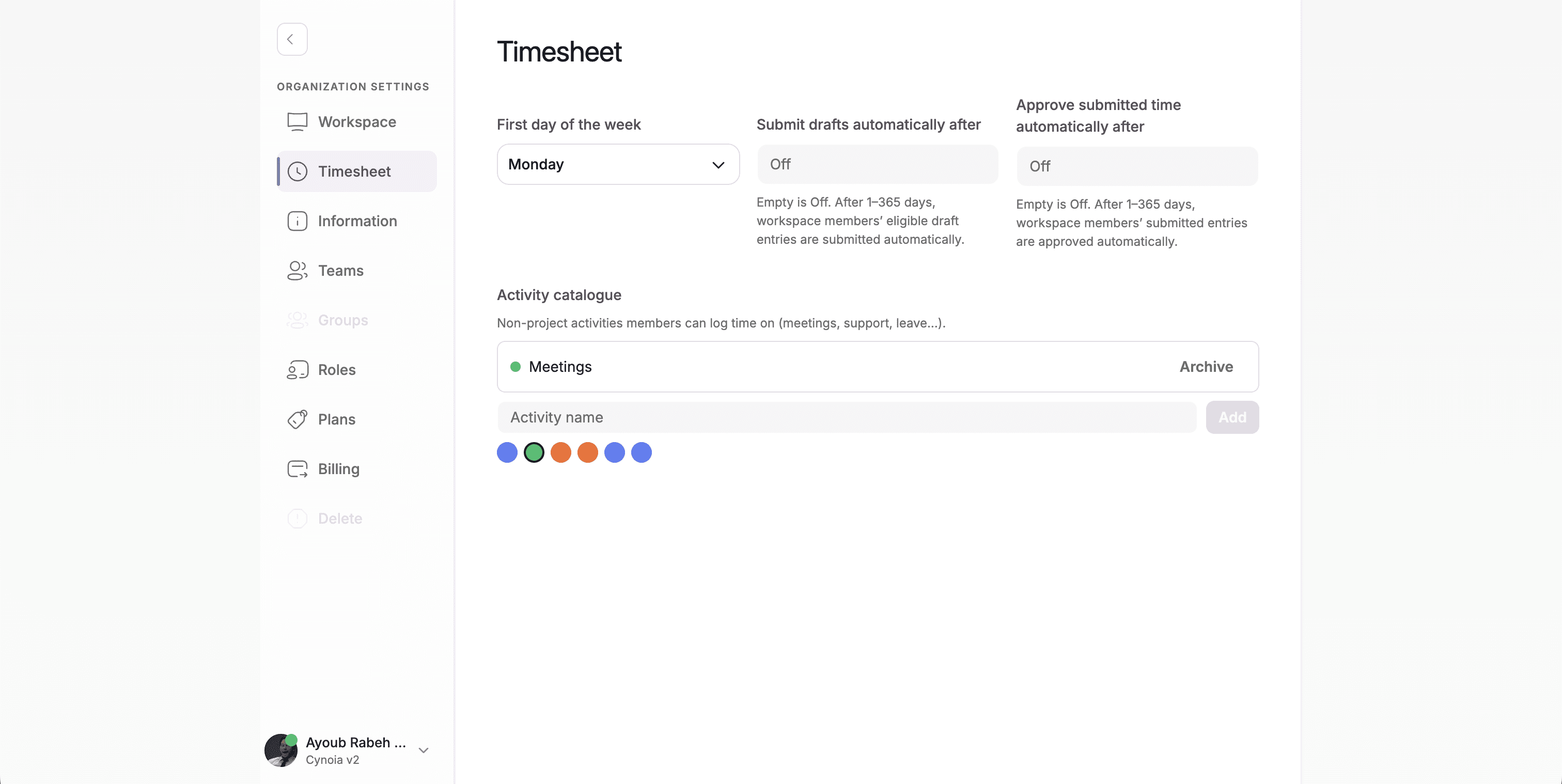
  • Workspace settings control the week start, the activity list, and automatic submission and approval.

  • Available on eligible plans.

📊 Customizable Dashboard

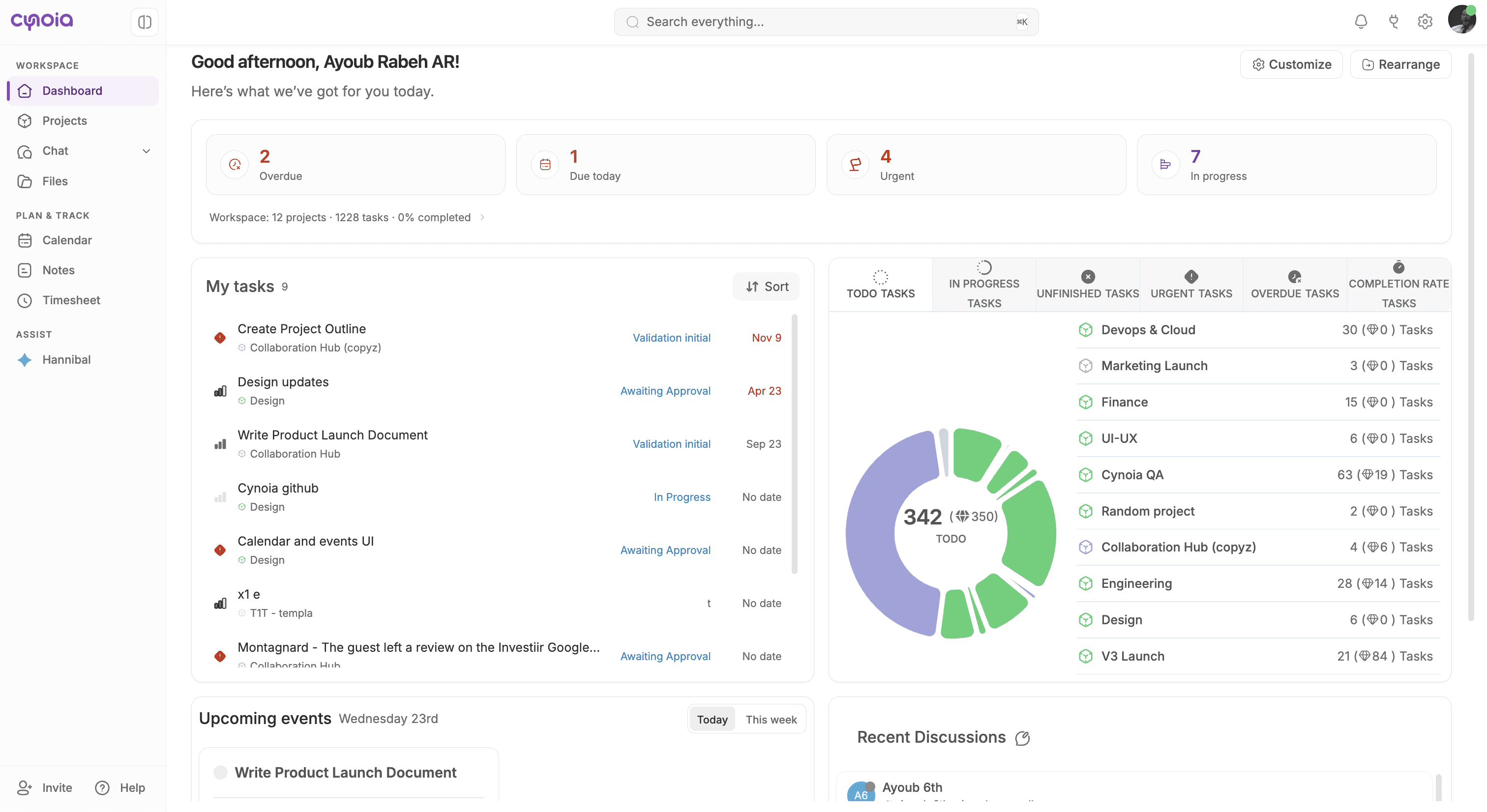
  • The dashboard is now a grid of widgets. Use Rearrange to drag widgets into place and Customize to hide the ones you don't need. Your layout is saved per workspace.

  • A new pulse strip sums up your day, and My Tasks shows your open, assigned work. Open any task without leaving the page.

  • Project insights has new Urgent, Overdue, and Completion rate tabs. Upcoming events can show the whole week, and recent discussions show live calls.

new dashboard

✏️ Inline Task Card Editing

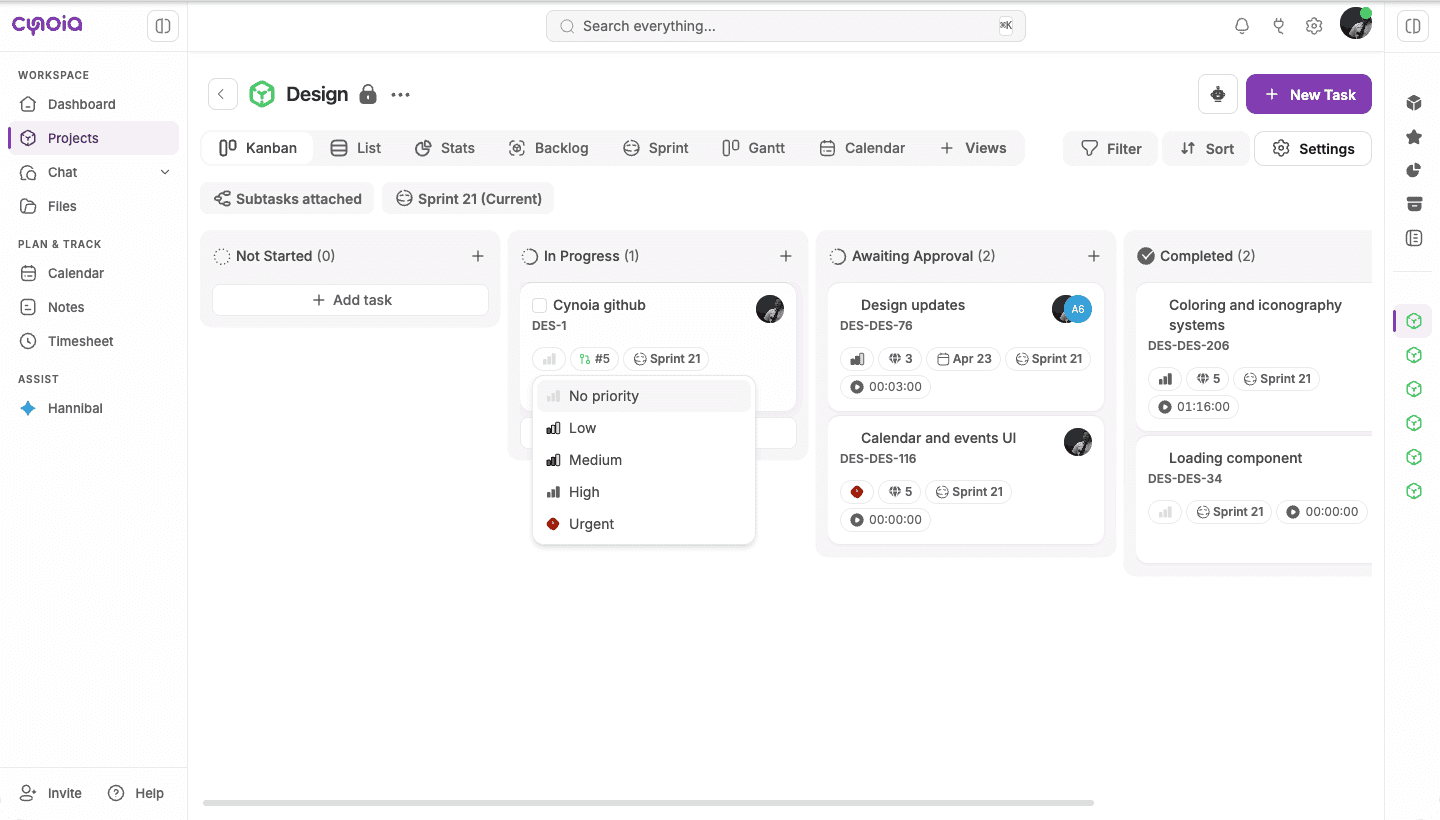
  • Change priority, points, labels, assignees, due date, and sprint right on the card, without opening the task.

Editing priority on a task card

🎨 A Refreshed Workspace

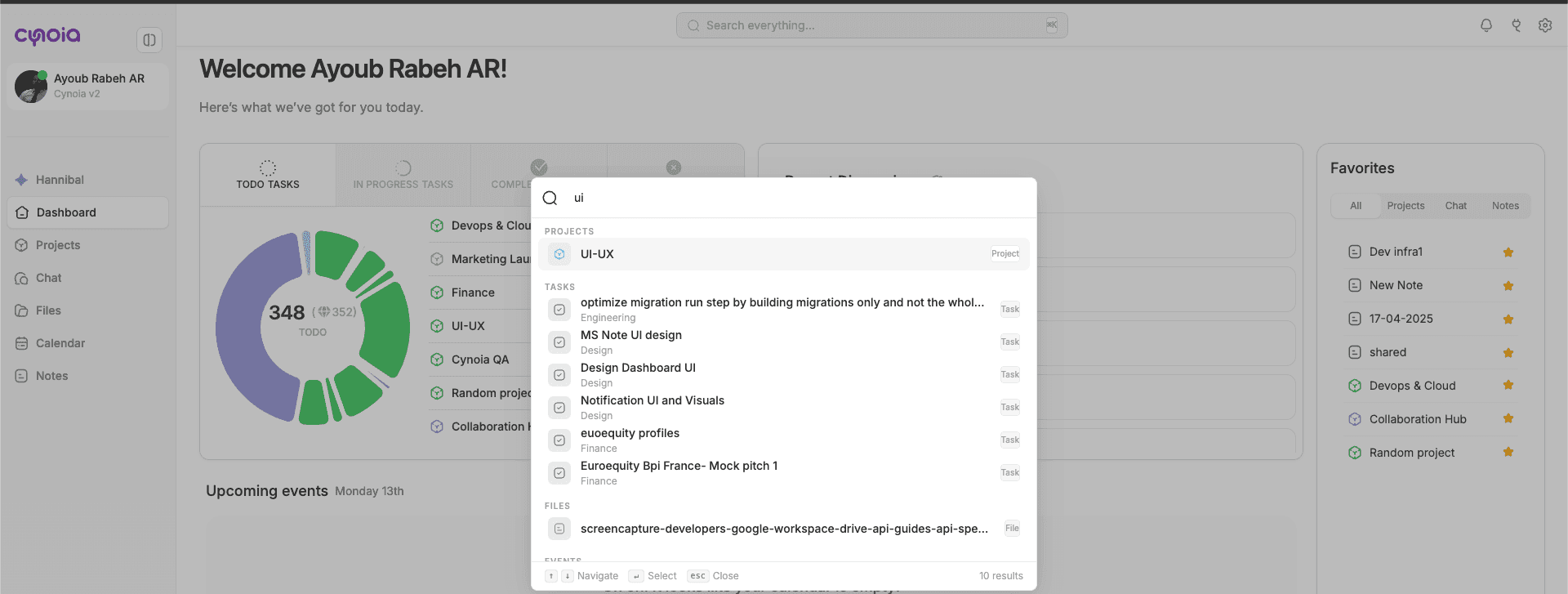
  • A cleaner, denser layout. The sidebar highlights the page you're on, and your account menu moved to the top bar.

  • Call rooms now sit under Chat in the main sidebar, even when it's collapsed.

  • On Projects, Files, Calendar, and Notes, the right panel starts collapsed so the page gets more room.

  • Consistent type sizes and higher text contrast across the app for better accessibility.

Call rooms under Chat in the sidebar

⚡ Improvements

  • Manually logged time now appears in the task's time logs and counts toward task totals.

  • The timer reminder shows the task name and lets you stop the timer from the reminder.

  • My Tasks uses the board's sort menu and the global search in the top bar.

  • GitLab webhook details can be downloaded, and the webhook secret can be rotated.

  • Better dark mode on the dashboard, timesheet, and Integrations pages.

🛠 Fixes

  • The sprint board now lists only tasks currently in the sprint.

  • Fixed task lookups for projects whose key contains digits.

  • Cards without a due date no longer fail to display.

  • Deleted time is subtracted from the task card right away.

  • The calendar month grid no longer cuts off its last week on short windows.

  • The Files recent list view shows its rows again.

  • Fixed incoming call ringing on some channels.

  • Fixed icons growing oversized in Safari.

  • The pull request preview on task cards now appears above the right sidebar.

V3.0.0 – Code, Time, and a Workspace That Fits

Our biggest release yet: GitHub & GitLab linked to your tasks, a full weekly Timesheet with approvals and reports, a dashboard you arrange yourself, inline editing on task cards, and a cleaner, more accessible workspace.

🌟 Major Features

🔗 GitHub & GitLab Integration

  • Connect GitHub or GitLab and see your code work next to your tasks.

  • Copy a task's branch name in one click. Pull requests and merge requests that mention the task are linked automatically.

  • Task cards show pull request status. Hover the badge to preview the linked requests.

Pull request preview on a task card
  • Git Activity panel lists commits, reviews, and CI results as they happen.

Git Activity panel in a task
  • Branch rules move tasks between columns when a branch is created or a pull request is opened, reviewed, merged, or closed. Rules can be set per branch.

  • If a GitLab token expires, Cynoia warns you and lets you reconnect in place. Missed updates sync automatically.

⏱ Timesheet

  • Log your whole week from one grid. Type time into a cell, or start a timer on a row.

  • Track tasks, projects, and non-project activities such as meetings or training.

Timesheet weekly grid
  • Submit your week. Moderators approve, reject with a reason, or reopen entries from an approval queue. Approved time is locked.

  • Reports summarize and filter logged time and export it to CSV, Excel, or PDF.

  • Workspace settings control the week start, the activity list, and automatic submission and approval.


  • Available on eligible plans.

📊 Customizable Dashboard

  • The dashboard is now a grid of widgets. Use Rearrange to drag widgets into place and Customize to hide the ones you don't need. Your layout is saved per workspace.

  • A new pulse strip sums up your day, and My Tasks shows your open, assigned work. Open any task without leaving the page.

  • Project insights has new Urgent, Overdue, and Completion rate tabs. Upcoming events can show the whole week, and recent discussions show live calls.

new dashboard

✏️ Inline Task Card Editing

  • Change priority, points, labels, assignees, due date, and sprint right on the card, without opening the task.

Editing priority on a task card

🎨 A Refreshed Workspace

  • A cleaner, denser layout. The sidebar highlights the page you're on, and your account menu moved to the top bar.

  • Call rooms now sit under Chat in the main sidebar, even when it's collapsed.

  • On Projects, Files, Calendar, and Notes, the right panel starts collapsed so the page gets more room.

  • Consistent type sizes and higher text contrast across the app for better accessibility.

Call rooms under Chat in the sidebar

⚡ Improvements

  • Manually logged time now appears in the task's time logs and counts toward task totals.

  • The timer reminder shows the task name and lets you stop the timer from the reminder.

  • My Tasks uses the board's sort menu and the global search in the top bar.

  • GitLab webhook details can be downloaded, and the webhook secret can be rotated.

  • Better dark mode on the dashboard, timesheet, and Integrations pages.

🛠 Fixes

  • The sprint board now lists only tasks currently in the sprint.

  • Fixed task lookups for projects whose key contains digits.

  • Cards without a due date no longer fail to display.

  • Deleted time is subtracted from the task card right away.

  • The calendar month grid no longer cuts off its last week on short windows.

  • The Files recent list view shows its rows again.

  • Fixed incoming call ringing on some channels.

  • Fixed icons growing oversized in Safari.

  • The pull request preview on task cards now appears above the right sidebar.
V3.0.0 – Code, Time, and a Workspace That Fits

Our biggest release yet: GitHub & GitLab linked to your tasks, a full weekly Timesheet with approvals and reports, a dashboard you arrange yourself, inline editing on task cards, and a cleaner, more accessible workspace.

🌟 Major Features

🔗 GitHub & GitLab Integration

  • Connect GitHub or GitLab and see your code work next to your tasks.

  • Copy a task's branch name in one click. Pull requests and merge requests that mention the task are linked automatically.

  • Task cards show pull request status. Hover the badge to preview the linked requests.

Pull request preview on a task card
  • Git Activity panel lists commits, reviews, and CI results as they happen.

Git Activity panel in a task
  • Branch rules move tasks between columns when a branch is created or a pull request is opened, reviewed, merged, or closed. Rules can be set per branch.

  • If a GitLab token expires, Cynoia warns you and lets you reconnect in place. Missed updates sync automatically.

⏱ Timesheet

  • Log your whole week from one grid. Type time into a cell, or start a timer on a row.

  • Track tasks, projects, and non-project activities such as meetings or training.

Timesheet weekly grid
  • Submit your week. Moderators approve, reject with a reason, or reopen entries from an approval queue. Approved time is locked.

  • Reports summarize and filter logged time and export it to CSV, Excel, or PDF.

  • Workspace settings control the week start, the activity list, and automatic submission and approval.


  • Available on eligible plans.

📊 Customizable Dashboard

  • The dashboard is now a grid of widgets. Use Rearrange to drag widgets into place and Customize to hide the ones you don't need. Your layout is saved per workspace.

  • A new pulse strip sums up your day, and My Tasks shows your open, assigned work. Open any task without leaving the page.

  • Project insights has new Urgent, Overdue, and Completion rate tabs. Upcoming events can show the whole week, and recent discussions show live calls.

new dashboard

✏️ Inline Task Card Editing

  • Change priority, points, labels, assignees, due date, and sprint right on the card, without opening the task.

Editing priority on a task card

🎨 A Refreshed Workspace

  • A cleaner, denser layout. The sidebar highlights the page you're on, and your account menu moved to the top bar.

  • Call rooms now sit under Chat in the main sidebar, even when it's collapsed.

  • On Projects, Files, Calendar, and Notes, the right panel starts collapsed so the page gets more room.

  • Consistent type sizes and higher text contrast across the app for better accessibility.

Call rooms under Chat in the sidebar

⚡ Improvements

  • Manually logged time now appears in the task's time logs and counts toward task totals.

  • The timer reminder shows the task name and lets you stop the timer from the reminder.

  • My Tasks uses the board's sort menu and the global search in the top bar.

  • GitLab webhook details can be downloaded, and the webhook secret can be rotated.

  • Better dark mode on the dashboard, timesheet, and Integrations pages.

🛠 Fixes

  • The sprint board now lists only tasks currently in the sprint.

  • Fixed task lookups for projects whose key contains digits.

  • Cards without a due date no longer fail to display.

  • Deleted time is subtracted from the task card right away.

  • The calendar month grid no longer cuts off its last week on short windows.

  • The Files recent list view shows its rows again.

  • Fixed incoming call ringing on some channels.

  • Fixed icons growing oversized in Safari.

  • The pull request preview on task cards now appears above the right sidebar.
Latest posts

Discover other posts in our blog

Simplify your projects today for free

No credit card · 14-day unlimited free trial · 10 free users forever

Simplify your projects today for free

No credit card · 14-day unlimited free trial · 10 free users forever

Simplify your projects today for free

No credit card · 14-day unlimited free trial · 10 free users forever