Cynoia team
Organizing Work at Scale
Written by : Cynoia team
As projects grow and tasks multiply, staying organized becomes essential.
Cynoia provides several tools to help you manage large volumes of work without losing clarity.
Using Filters
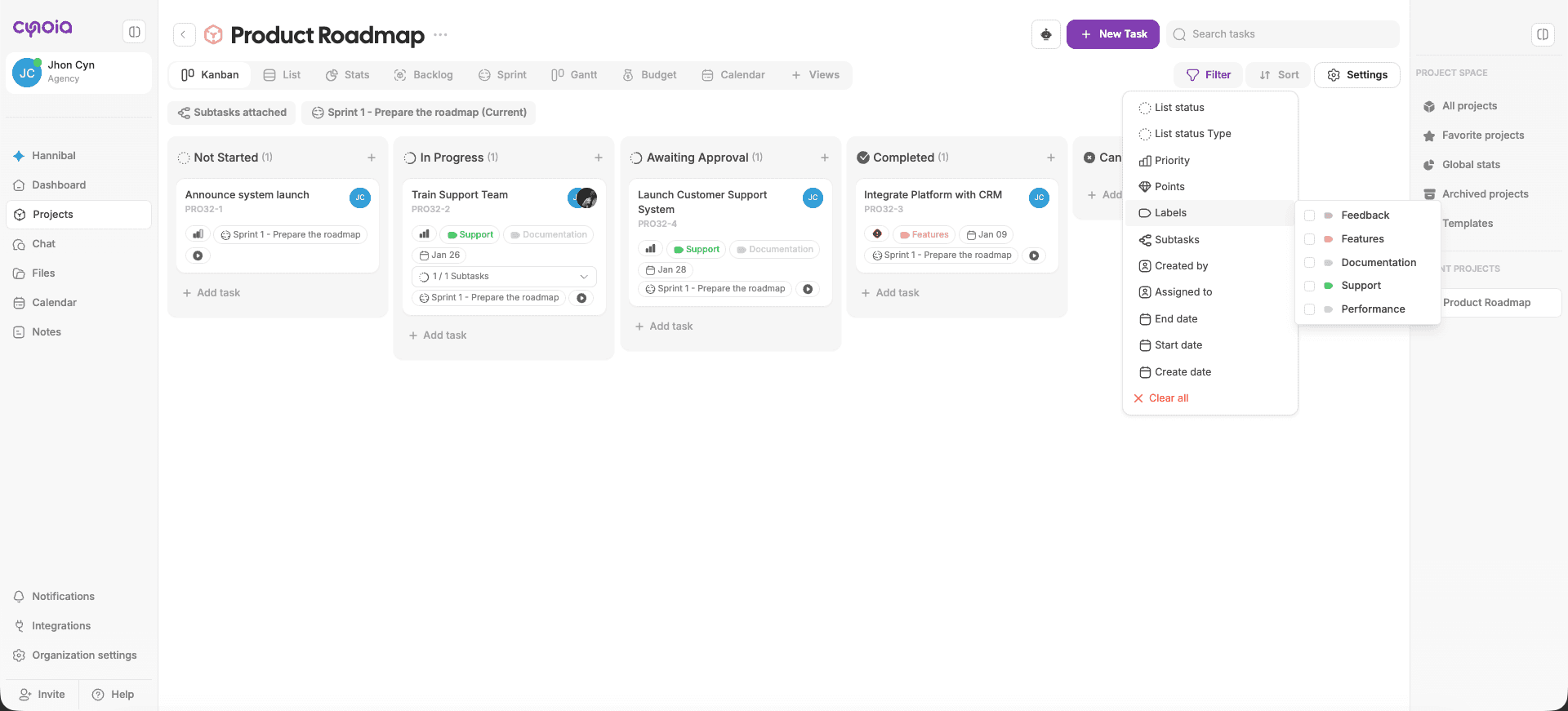
Filters help you focus on the tasks that matter most.
You can filter tasks by:
List Status
List status type
Priority
Labels
Assignees
Points ( if enabled )
Dates
Subtasks
Creator
List status: This filter represent the column names on the kanban & list view
List status type: Every project have 4 global status which are
To do
In Progress
Completed
Unfinished
These status type will help you filter your project to get better visibility overall, you might have multiple columns under the same status type.
Example: You might have two columns " Discovery " " Awaiting approval " under the same status type ' In progress '
Filters can be combined to narrow results even further.
Sorting Tasks
Sorting lets you reorder tasks without changing their workflow status.
Common sorting options include:
Name
Priority
Points
Start date
End date
Creation date
Sorting is useful for reviewing tasks and spotting patterns quickly.
Searching for Tasks
Search allows you to quickly find tasks across your workspace.
You can search by:
Task name
Search saves time when working across multiple projects.
Favorites & Quick Access
You can favorite projects
Favorites make frequently used work easy to access from the sidebar.
Managing Personal Workload
To stay productive:
Focus on tasks assigned to you
Use filters to view your tasks only
Sort by priority or due date
Review upcoming deadlines regularly
This helps prevent overload and missed work.
Keeping Projects Clean
As work scales, it’s important to maintain clarity.
Best practices:
Archive completed projects when done
Keep workflows simple
Avoid unnecessary labels
Review backlog and completed tasks regularly
Clean projects are easier to manage and understand.
Best Practices for Large Teams
Agree on naming conventions
Use labels consistently
Limit the number of statuses
Review filters and views as a team
Document workflows for consistency
What’s Next?
👉 Next article: Productivity Best Practices
Learn how individuals and teams can get the most out of Cynoia day to day.
Related to Tasks & Work Management