Cynoia team
Sprints & Backlog
Written by : Cynoia team
Sprints and the backlog help teams plan work over time, prioritize tasks, and deliver work in focused iterations.
They are especially useful for teams following agile or iterative workflows.
What Is the Backlog?
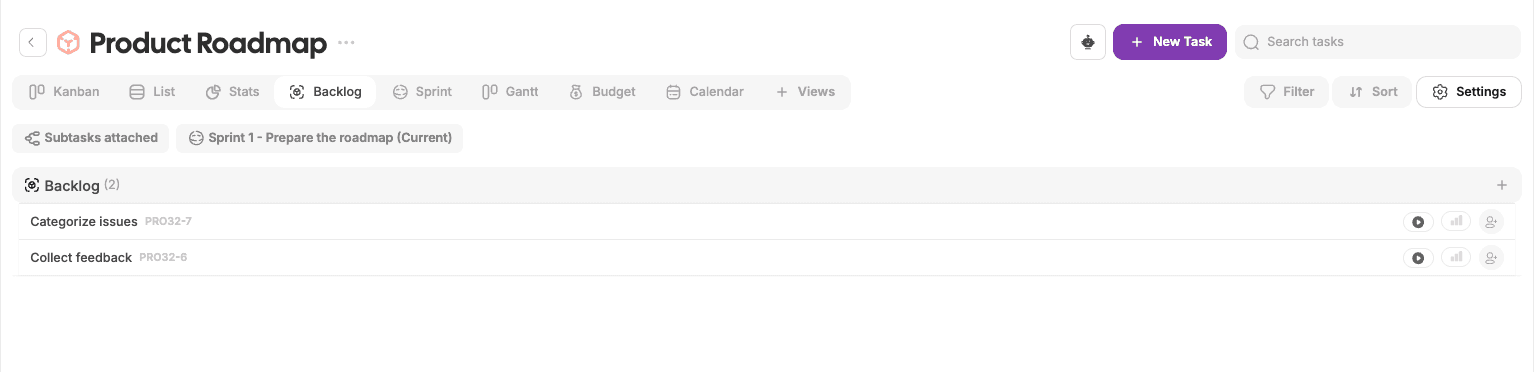
The backlog is a space where tasks live before they are scheduled.
Backlog tasks are:
Not assigned to a sprint
Not actively being worked on
Ready for future planning
Use the backlog to collect ideas, upcoming work, and unplanned tasks.
What Is a Sprint?
A sprint is a fixed time period during which a team commits to completing a set of tasks.
Sprints help teams:
Focus on a defined scope of work
Plan realistic workloads
Track progress over time
Review completed work
Enabling Sprints in a Project
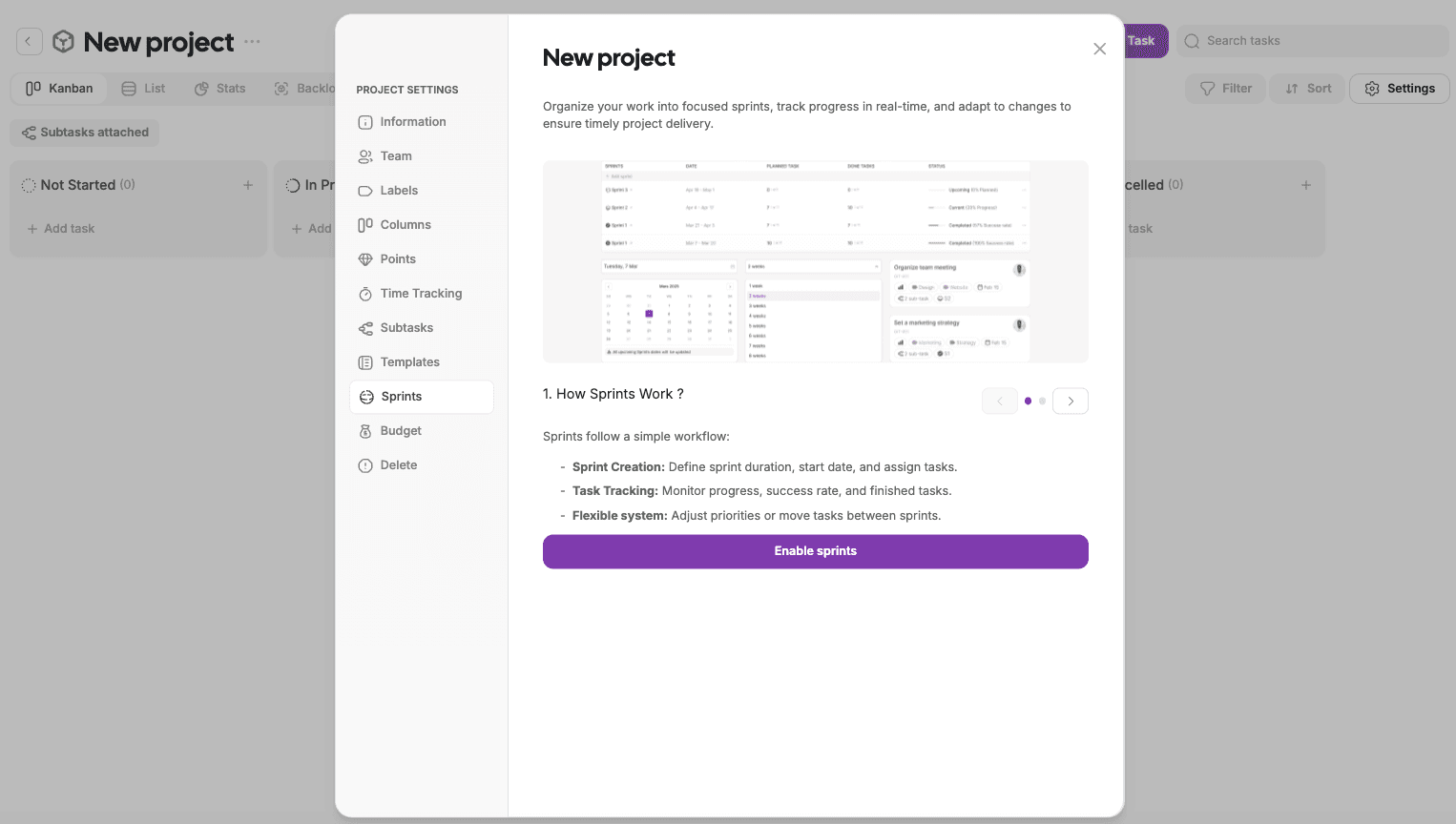
Sprints must be enabled at the project level.
Steps
Open the project
Go to Project Settings
Select Sprints
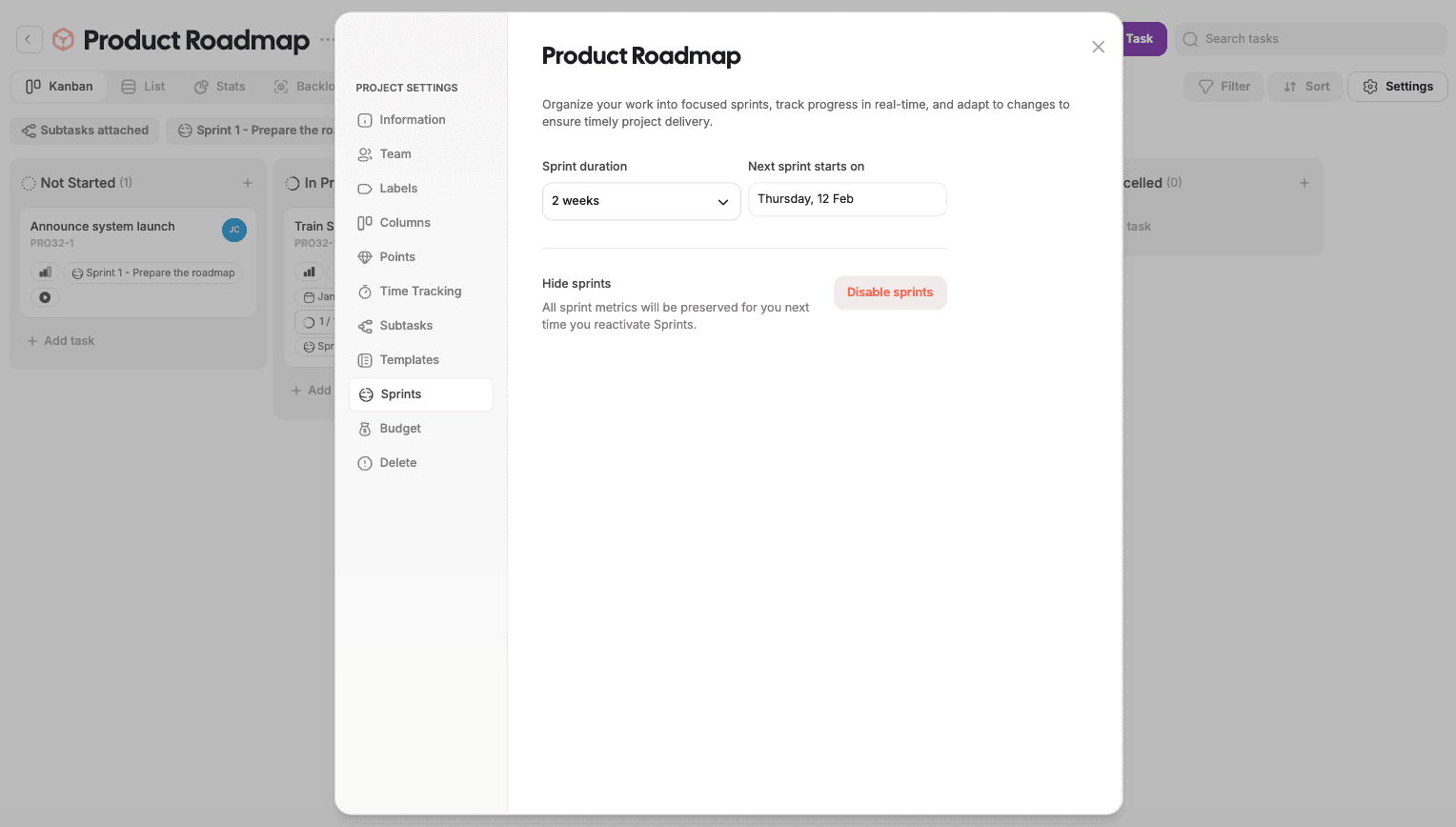
Enable sprints and configure:
Sprint duration
Sprint start date
Sprint data is preserved even if sprints are disabled later.
Sprint View
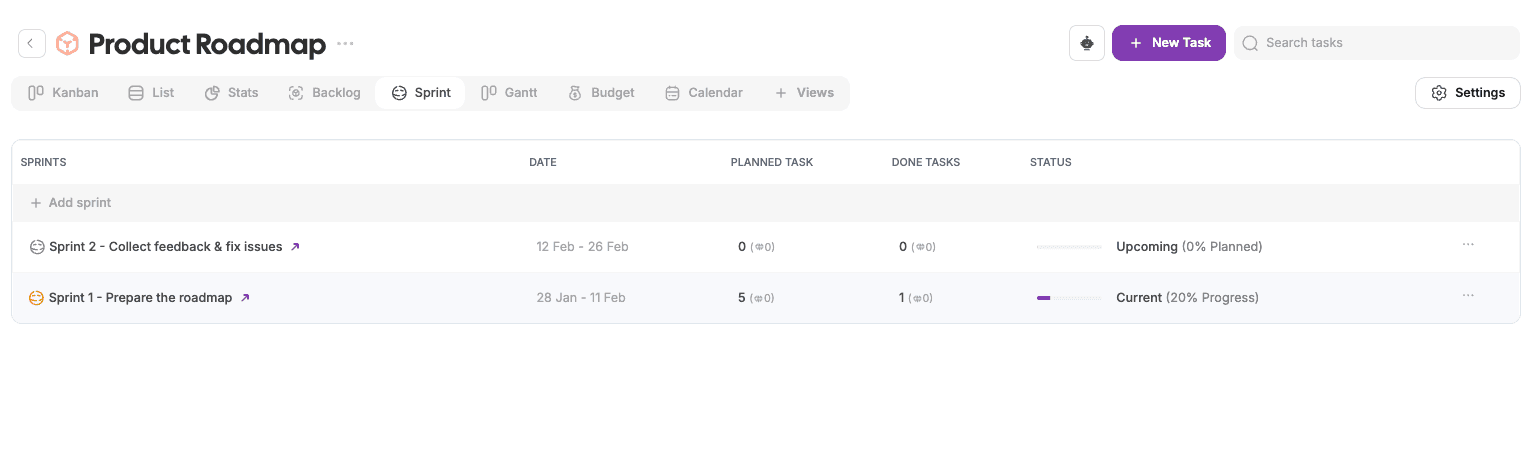
The Sprint view shows all sprints in a project.
For each sprint, you can see:
Sprint name and date range
Assigned tasks
Sprint status (Upcoming, Active, Completed)
Progress indicators
Creating a Sprint
When sprints are enabled, new sprints are created automatically based on the configured duration.
You can:
Rename sprints
Adjust sprint dates
Move tasks between sprints
Assigning Tasks to a Sprint
Tasks can be assigned to sprints from:
Sprint view
Task properties panel
Backlog view
This helps teams move tasks from planning to execution.
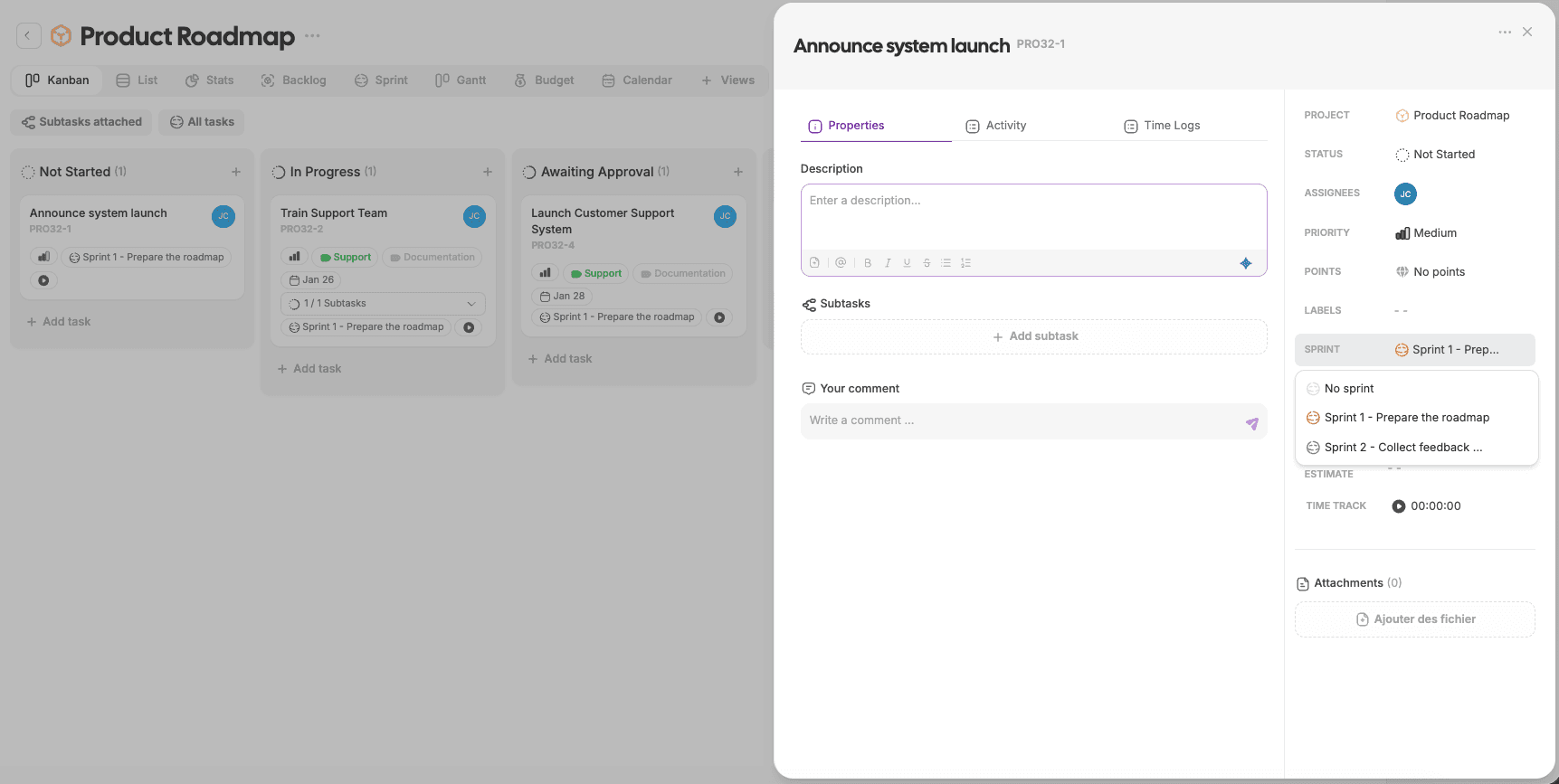
Using the Backlog for Planning
A common workflow:
Add tasks to the backlog
Review and prioritize tasks
Move selected tasks into the upcoming sprint
Start the sprint and begin execution
Backlog keeps future work organized without cluttering active sprints.
Sprint Progress & Completion
During a sprint, teams can:
Track completed vs remaining tasks
Monitor workload and progress
Adjust scope if needed
Once the sprint ends:
It is marked as Completed
Tasks remain visible for reference
Historical sprint data stays available
Best Practices
Keep backlog prioritized and clean
Avoid overloading sprints
Assign clear owners to sprint tasks
Review sprint outcomes regularly
Use backlog for planning, not execution
What’s Next?
👉 Next article: Budget & Expenses
Learn how to track project costs, manage budgets, and stay within financial limits.