Cynoia team
Using Hannibal in Chat
Written by : Cynoia team
Hannibal helps you communicate faster and more clearly inside Cynoia Chat.
Whether you’re replying quickly, fixing grammar, or translating a message, Hannibal works directly inside the chat input.
You don’t need to leave the conversation or copy text elsewhere.
Generate Messages in Chat
Hannibal can generate messages for you based on a short prompt.
This is useful for:
Announcements
Team updates
Follow-ups
Professional replies
Quick explanations
Steps:
Open any chat or channel
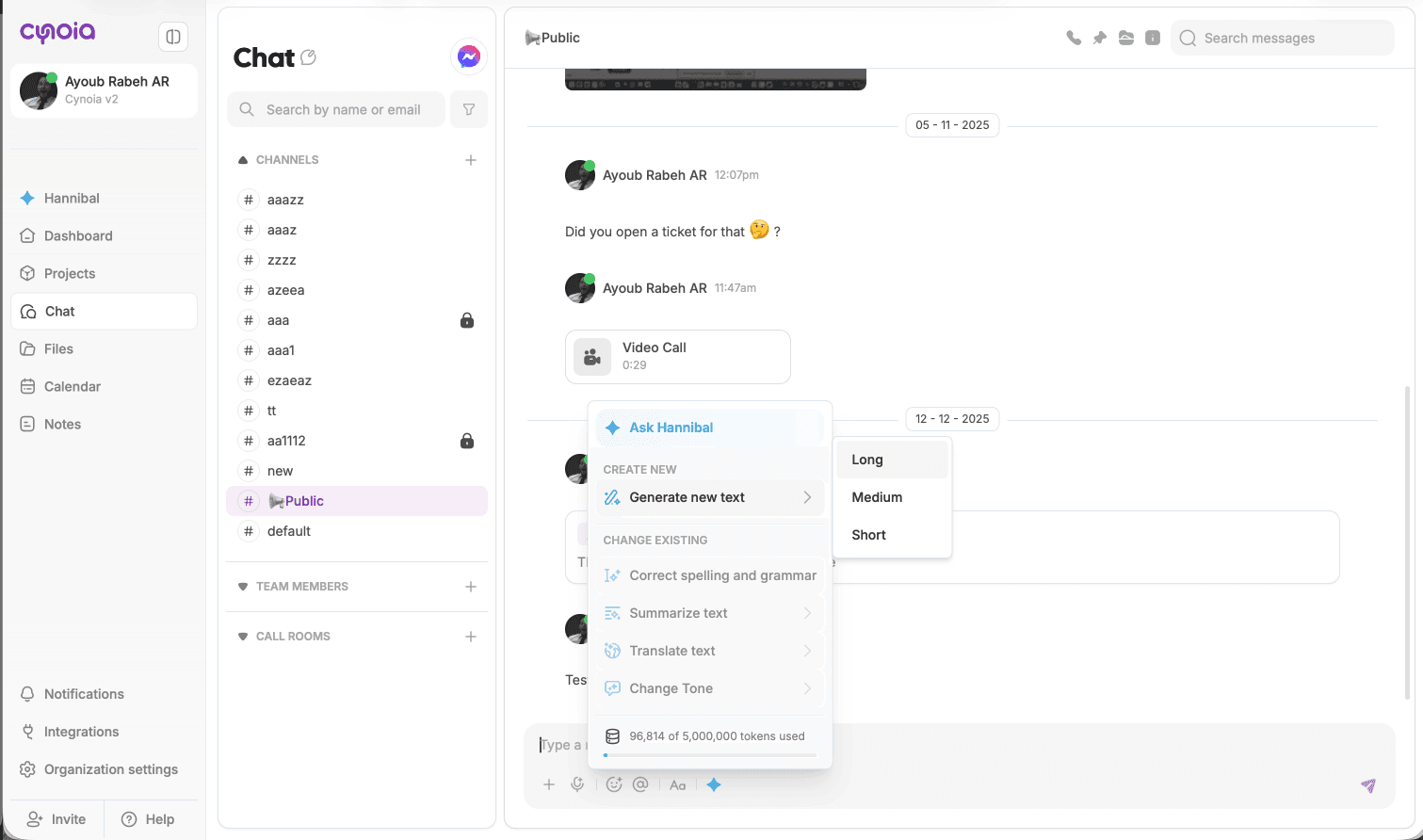
Click the ✨ Generate with AI icon in the message input
Select Generate new text
Choose the length:
Short
Medium
Long
Review the generated message
Click Insert to send or edit before sending
Improve Existing Messages
You can also use Hannibal on text you’ve already written.
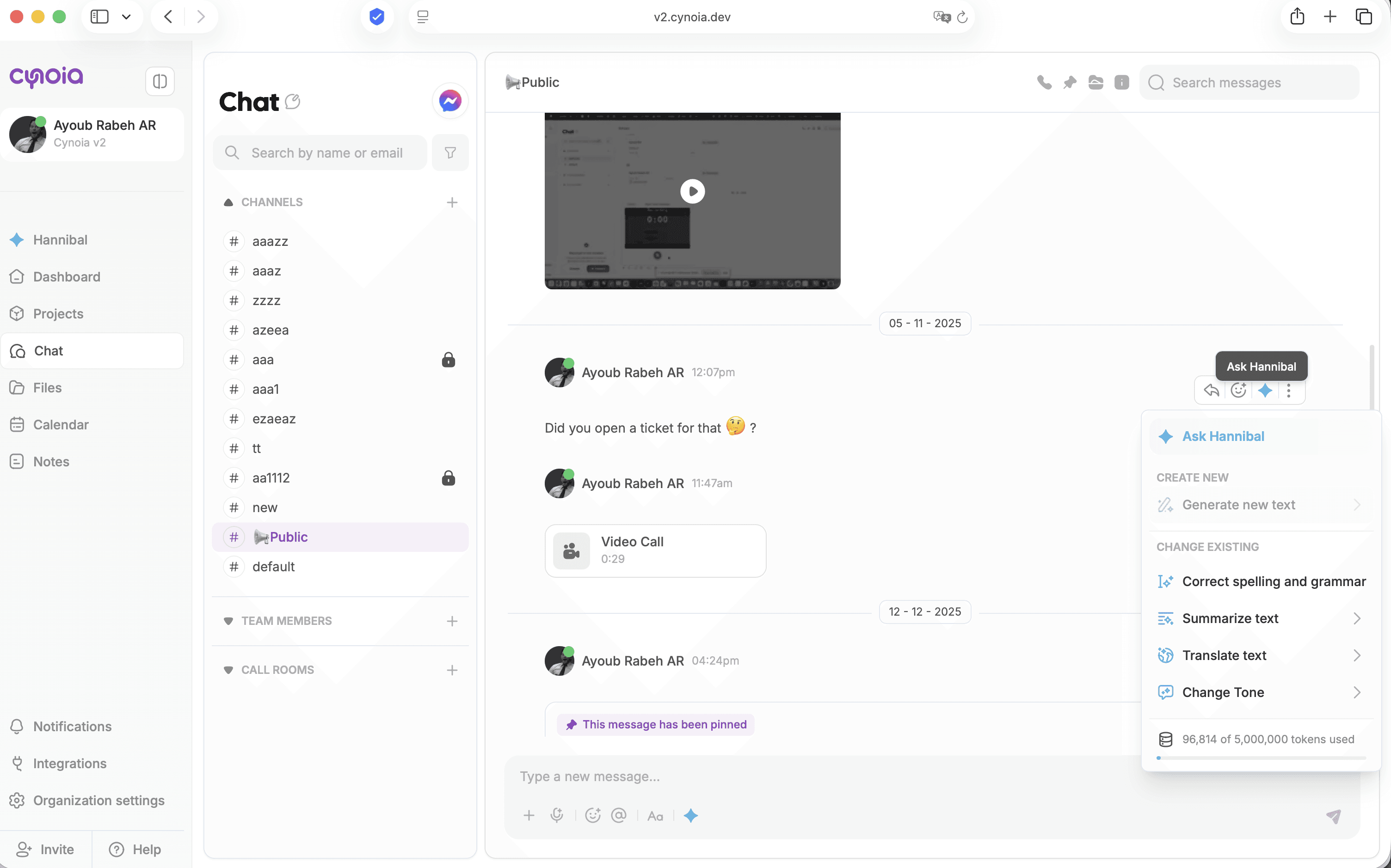
Available actions:
Correct spelling and grammar
Summarize text
Translate text
Change tone (Professional, Conversational, Neutral)
Steps:
Select the text inside the chat input
Click the ✨ Ask Hannibal icon
Choose the action you want
Review the updated version
Insert or refine further
Translate Messages Instantly
Hannibal supports translation into 15+ languages, including:
English
French
Spanish
Swahili
Wolof
Hausa
Yoruba
Zulu
And more
This is useful for multilingual teams or external communication.
Adjust Tone Before Sending
You can adapt your message tone depending on the context:
Professional – formal and business-oriented
Conversational – friendly and natural
Neutral – clear and direct
Tone changes help you communicate appropriately without rewriting everything manually.
Summarize Long Conversations
Hannibal can help summarize:
Long messages
Repeated explanations
Context before replying
This keeps conversations clear and avoids misunderstandings.
What’s Next?
Now that you can communicate efficiently in chat, let’s move to using Hannibal for tasks and projects.
👉 Next: Using Hannibal in Tasks & Projects