Cynoia team
Using Hannibal in Tasks & Projects
Written by : Cynoia team
Hannibal helps you move faster when managing tasks and projects by generating clear descriptions, summaries, and updates right where you work.
Instead of writing everything from scratch, you can rely on Hannibal to structure information and save time.
Create Detailed Task Descriptions
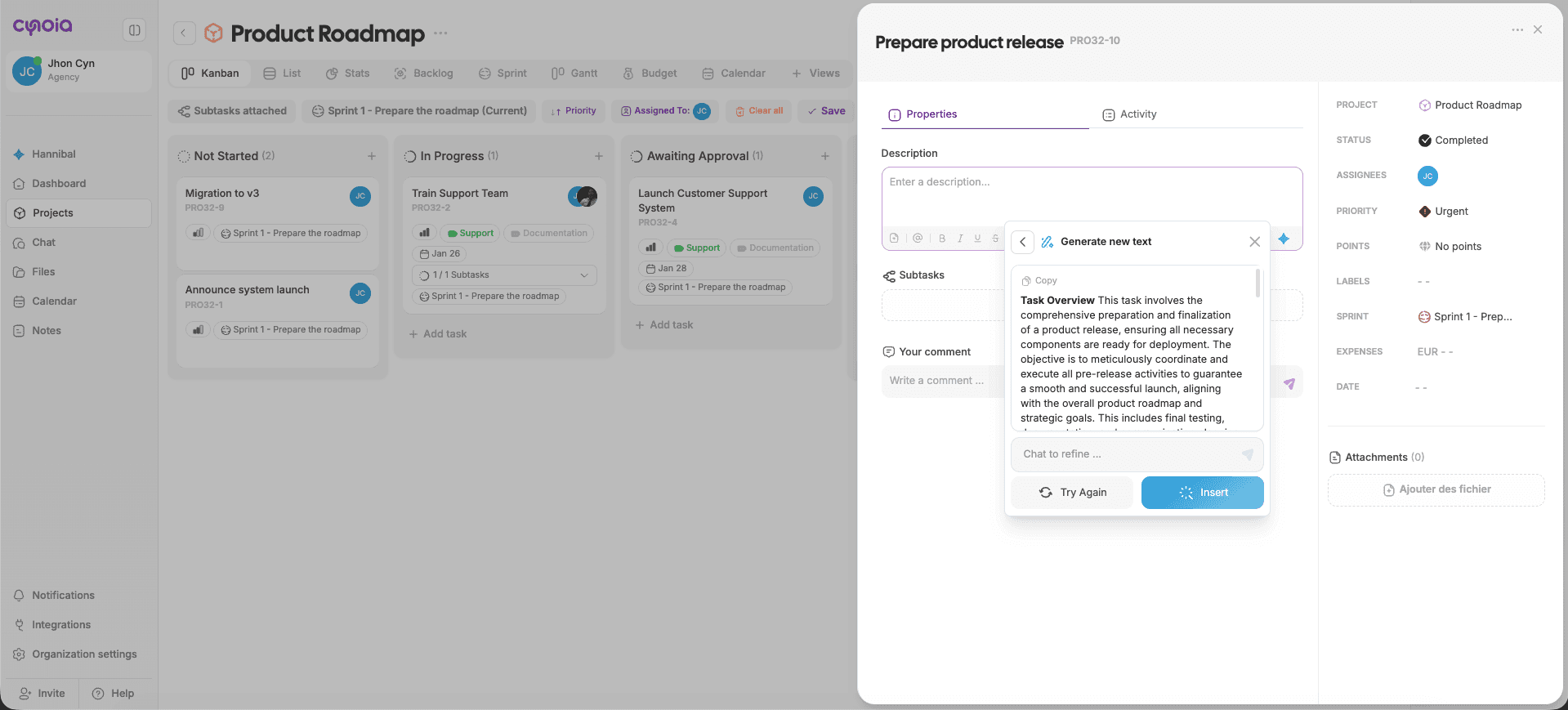
Hannibal can generate complete task descriptions from a short prompt.
This is useful for:
New task creation
Technical tasks
Product features
Internal documentation tasks
Release preparation
Steps:
Open a project
Create a new task or open an existing one
Click inside the Description field
Click the ✨ Generate with AI icon
Select Generate new text
Review the generated description
Click Insert or refine it further
Improve Existing Task Content
Already wrote a description? Hannibal can improve it.
You can:
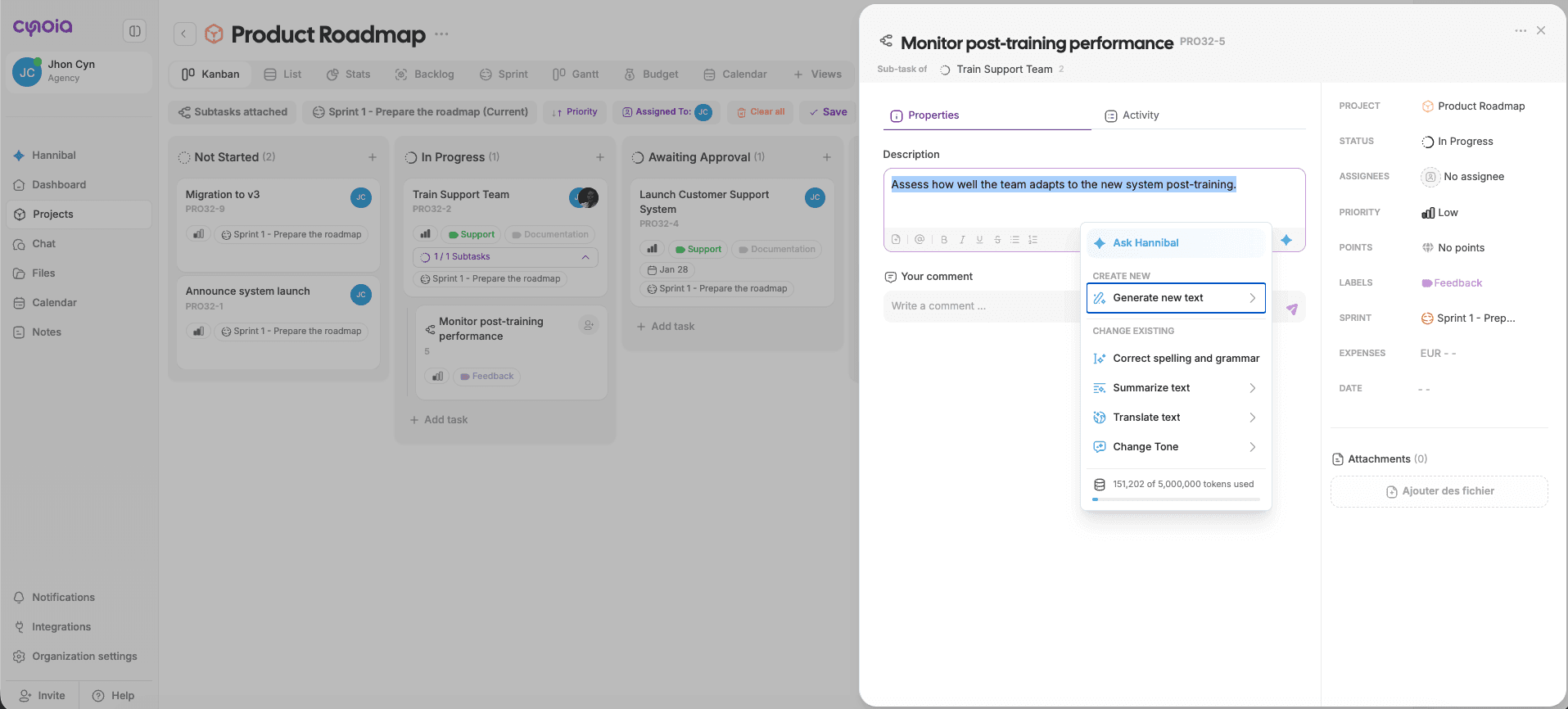
Fix spelling and grammar
Make descriptions clearer
Summarize long task details
Adjust tone (technical, professional, neutral)
Steps:
Select the text inside the task description
Click ✨ Generate with AI
Choose the action you want
Apply the result
Changes are applied instantly.
Generate Structured Task Content
Hannibal automatically structures content by:
Breaking text into paragraphs
Highlighting objectives
Making instructions easy to follow
This improves task readability for everyone on the team.
What’s Next?
Now that tasks and projects are easier to manage, let’s move to documentation and knowledge sharing.
👉 Next: Using Hannibal in Notes & Documentation