Cynoia team
Introduction to Hannibal (AI Assistant)
Written by : Cynoia team
Hannibal is Cynoia’s built-in AI assistant designed to help you work faster, write better, and understand your workspace instantly.
Hannibal works directly inside Cynoia and adapts to where you are (chat, tasks, notes, or projects), so you don’t need to switch tools or copy content elsewhere.
What Hannibal Can Do
Hannibal helps you with everyday work by allowing you to:
Generate quick messages in chat
Create detailed task descriptions
Write or summarize documentation in Notes
Summarize chat conversations or entire documents
Correct spelling & grammar automatically
Translate text into 15+ languages
Adjust tone (professional, conversational, neutral)
Refine outputs until they fit your needs
Hannibal always keeps context in mind (project, task, or conversation).
Where You Can Use Hannibal
Hannibal is available across multiple areas of Cynoia:
Chat – write, summarize, translate, and refine messages
Tasks & Projects – generate descriptions, summaries, and updates
Notes – write documentation, summarize content, or improve clarity
Workspace & Projects – get insights, progress, and statistics
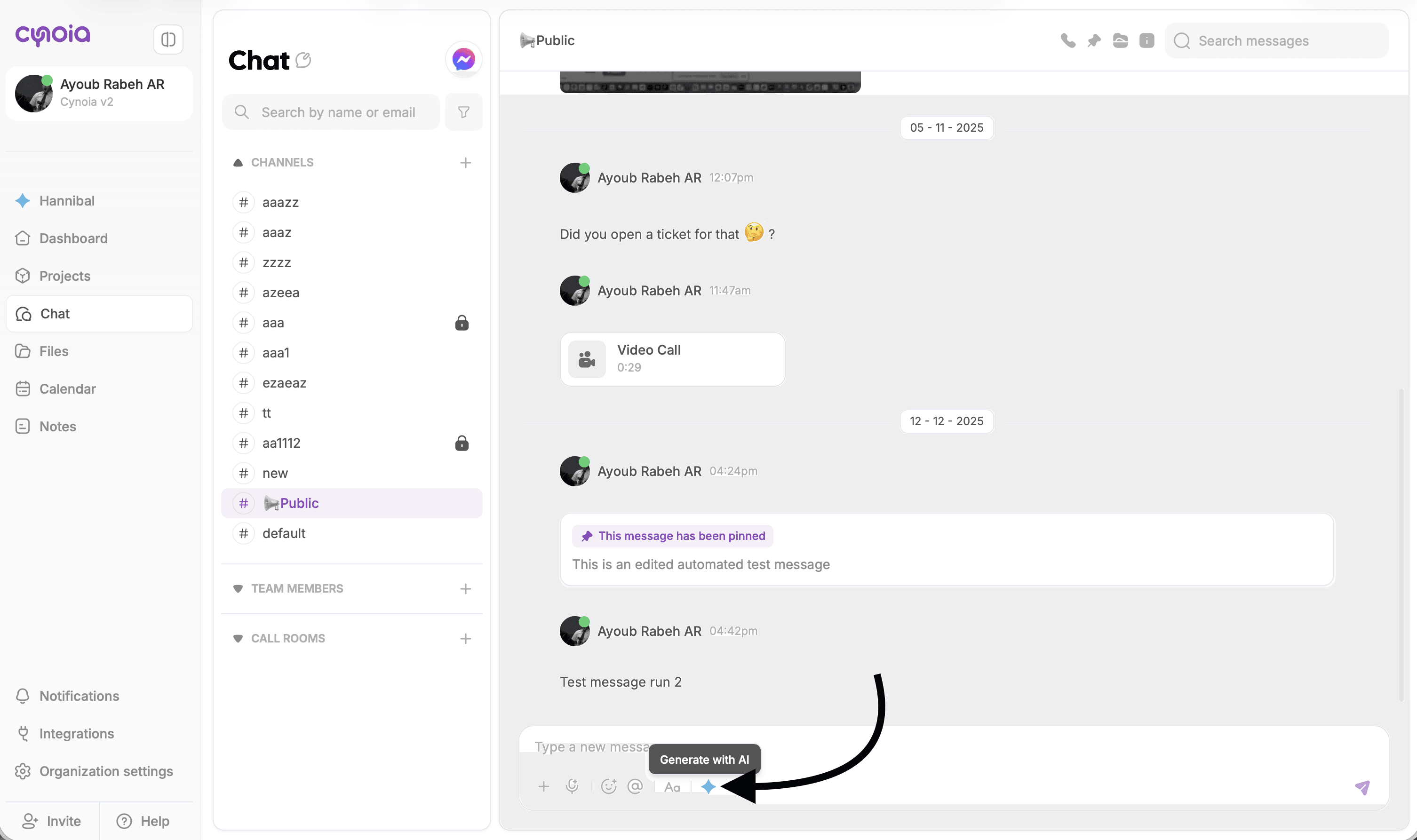
How to Access Hannibal
You can access Hannibal anytime by clicking the ✨ Generate with AI button.
Common access points:
Chat message input
Task description editor
Note editor
Project views
Steps:
Click the ✨ Generate with AI icon
Choose an action (generate, summarize, translate, refine)
Review the result
Insert or refine before saving
Refine Before You Insert
Hannibal always lets you:
Ask for a shorter or longer version
Change the tone
Improve clarity
Retry with a different approach
Nothing is inserted automatically you stay in control.
What’s Next?
Now that you know how to access Hannibal, let’s look at how it helps you communicate faster in chat.
👉 Next: Using Hannibal in Chat