Cynoia team
Using Hannibal in Notes & Documentation
Written by : Cynoia team
Hannibal helps you create, improve, and summarize documentation inside Cynoia Notes.
Whether you’re writing internal guides, meeting notes, or a knowledge base, Hannibal speeds up the process while keeping content structured and easy to read.
Create Notes Faster
Hannibal can generate full note content from a short idea or prompt.
This is useful for:
Documentation drafts
Process guides
Meeting summaries
Knowledge base articles
Internal announcements
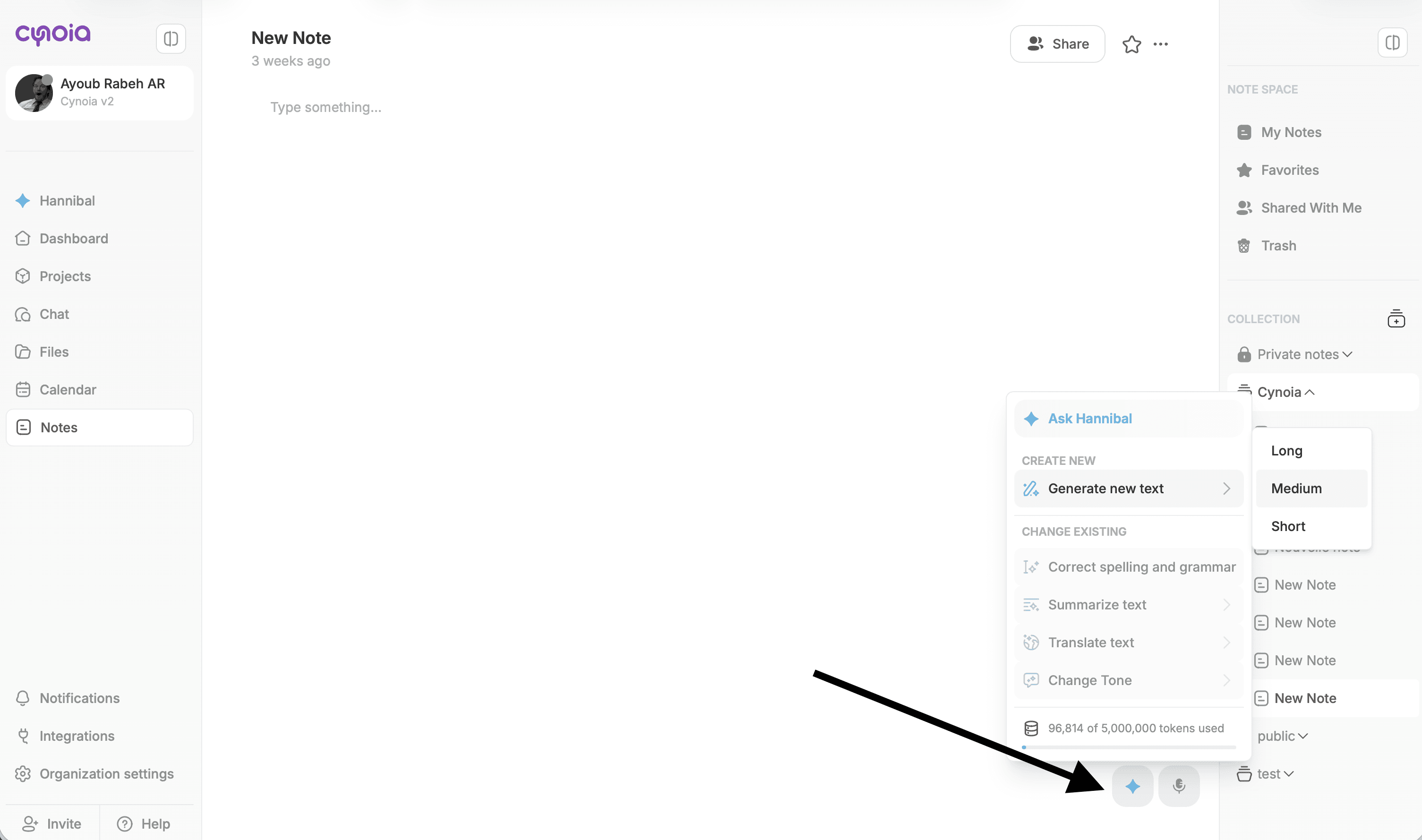
Steps:
Open Notes
Create a new note or open an existing one
Click inside the note editor
Click the ✨ Generate with AI icon
Select Generate new text
Review the generated content
Insert or refine before saving
Summarize Long Documents
Hannibal can summarize long notes into:
Short summaries
Bullet points
Key takeaways
Action items
This is especially helpful for:
Meeting notes
Technical documentation
Large shared notes
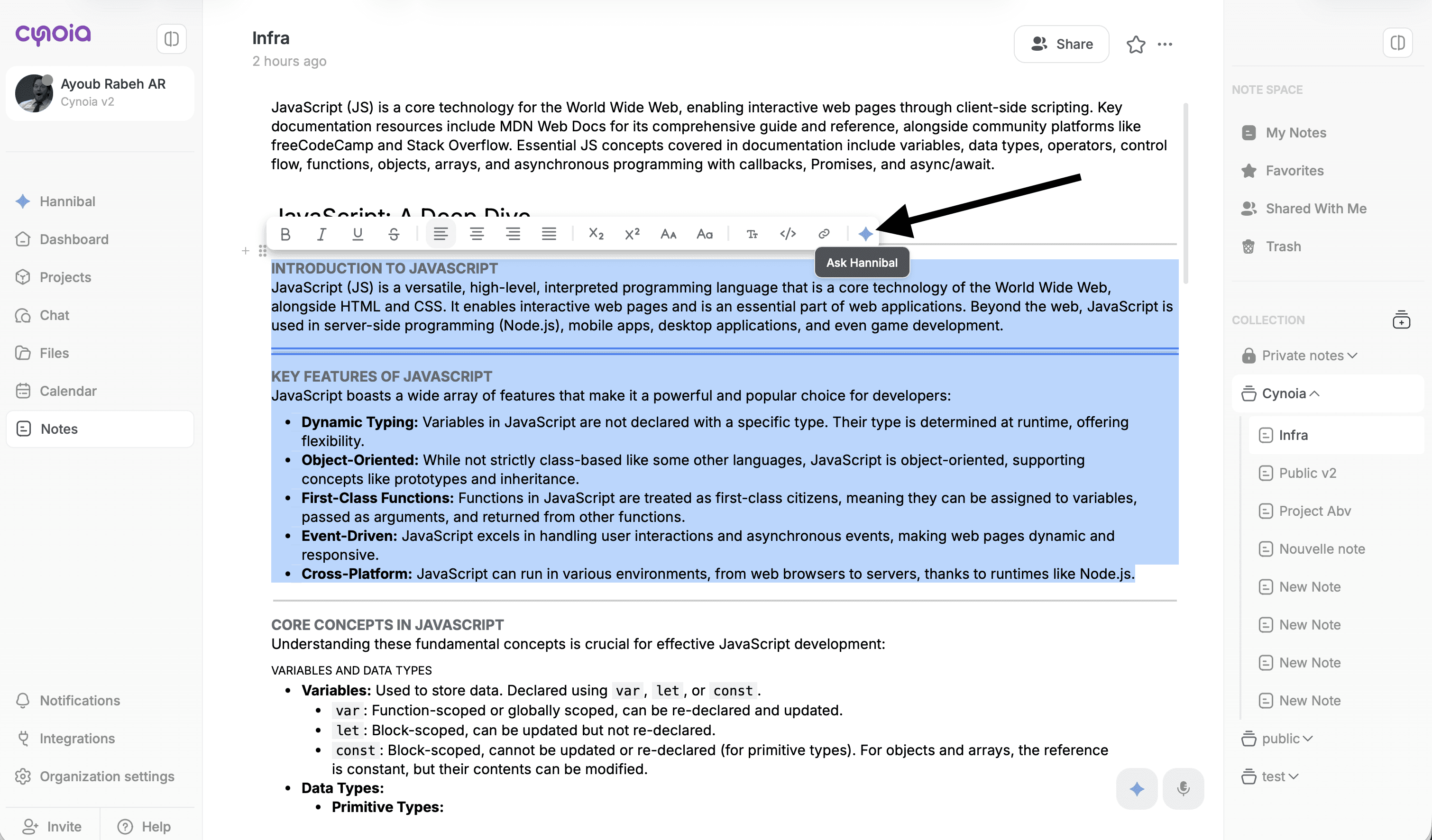
Steps:
Select the text you want to summarize
Click ✨ Ask Hannibal
Choose Summarize
Insert the result or refine further
Improve Writing Quality
Hannibal helps improve clarity and correctness without changing meaning.
You can use it to:
Correct spelling and grammar
Simplify complex wording
Improve structure
Make content more readable
Adjust Tone & Style
You can adapt documentation tone depending on the audience:
Professional – formal documentation
Conversational – internal team notes
Neutral – clear and direct guides
Tone adjustments help keep documentation consistent across teams.
Translate Documentation
Hannibal supports translation into 15+ languages, making it easy to:
Share documentation with global teams
Localize knowledge bases
Prepare content for external users
Refine Until It Fits
You can continuously refine AI-generated content by asking:
“Make it shorter”
“Expand this section”
“Rewrite in simpler terms”
“Change the tone”
Hannibal never overwrites content automatically you always review first.
What’s Next?
Now that documentation is easier to manage, let’s move to insights and analytics powered by Hannibal.
👉 Next: Hannibal AI Agent (Insights, Info & Stats)