Cynoia team
Hannibal AI Agent: Insights, Info & Stats
Written by : Cynoia team
Hannibal is more than a writing assistant.
As an AI Agent, Hannibal can analyze your workspace and provide facts, insights, and statistics to help you understand what’s happening at a glance.
This is especially useful for project tracking, reporting, and decision-making.
What Makes Hannibal an AI Agent?
Unlike basic text generation, the Hannibal AI Agent is specialized to deliver context-aware answers based on your workspace data.
It focuses on three core areas:
Info
Insights
Stats
🔎 Info: Facts & Details
Hannibal can instantly retrieve factual information such as:
Task deadlines
Assigned members
Project names
Task statuses
Due dates and priorities
Example questions:
“Who is assigned to this task?”
“What’s the deadline for this project?”
“Which tasks are marked as urgent?”
This saves time navigating through multiple screens.
💡 Insights: Progress & Status
Hannibal provides high-level insights to help you understand progress.
It can:
Summarize project status
Highlight blocked or overdue tasks
Provide progress overviews
Identify what needs attention
Example questions:
“What’s the current status of this project?”
“What’s blocking progress?”
“Give me a summary of this sprint”
Insights are generated based on real workspace activity.
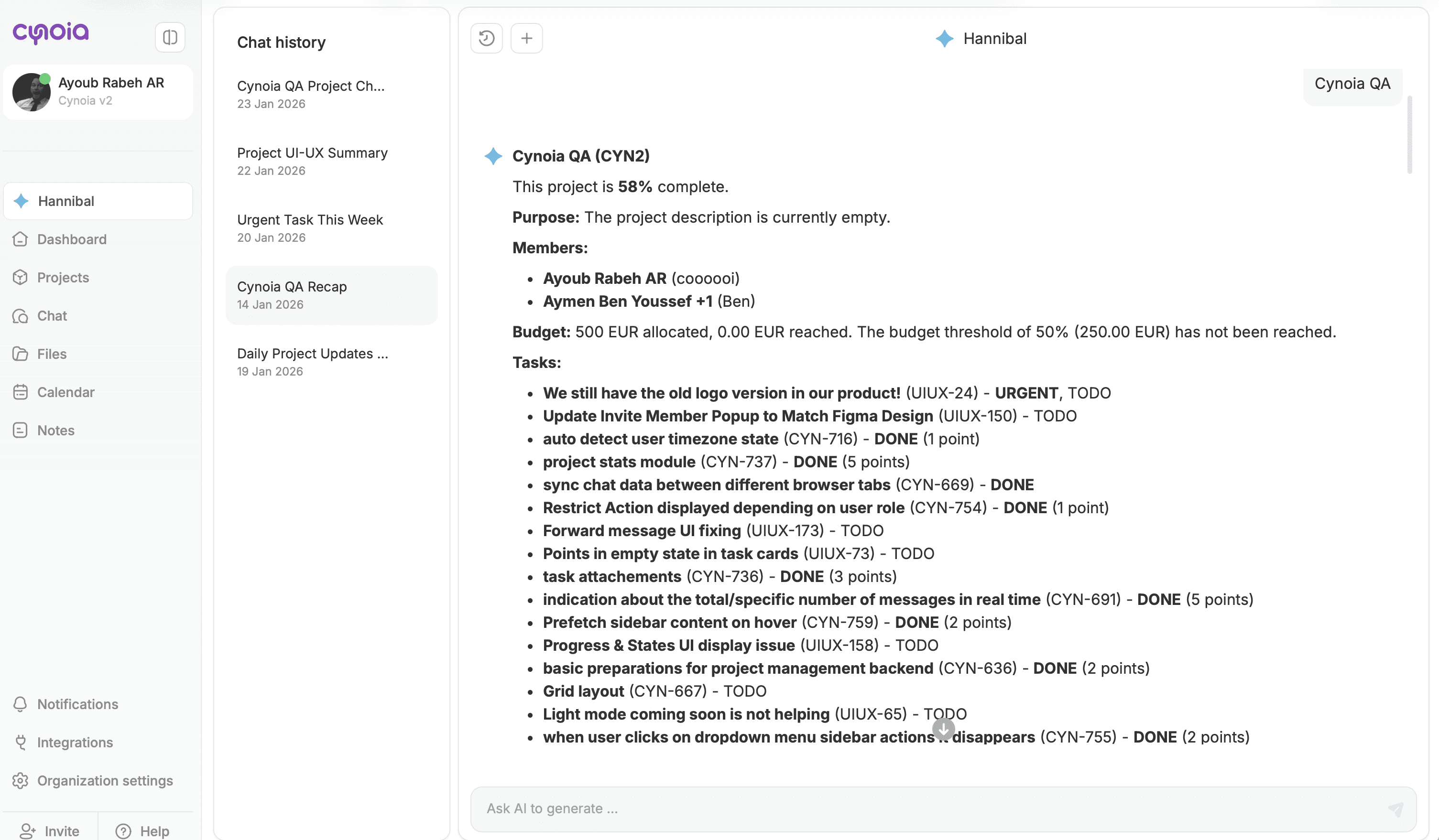
📊 Stats: Numbers & Metrics
Hannibal can generate statistics and metrics such as:
Number of completed tasks
Completion percentages
Remaining workload
Sprint progress
Budget usage (when enabled)
Example questions:
“How many tasks are completed?”
“What percentage of the project is done?”
“How much budget has been used?”
These stats help with reporting and planning.
Where You Can Use AI Insights
Hannibal insights are available from:
Left side bar ✨ Hannibal
The AI respects all role and access permissions.
Accuracy & Permissions
Hannibal only accesses:
Data you have permission to view
Information inside your workspace
Context relevant to where you triggered it
If you can’t see something manually, Hannibal won’t show it either.
What’s Next?
Now that you understand Hannibal’s analytical capabilities, let’s cover how AI usage respects privacy and security.
👉 Next: Hannibal, Privacy & Data Usage