Cynoia team
Task Collaboration
Written by : Cynoia team
Task collaboration helps teams communicate clearly, stay aligned, and keep discussions connected to the work itself.
Instead of spreading conversations across tools, Cynoia keeps collaboration directly inside each task.
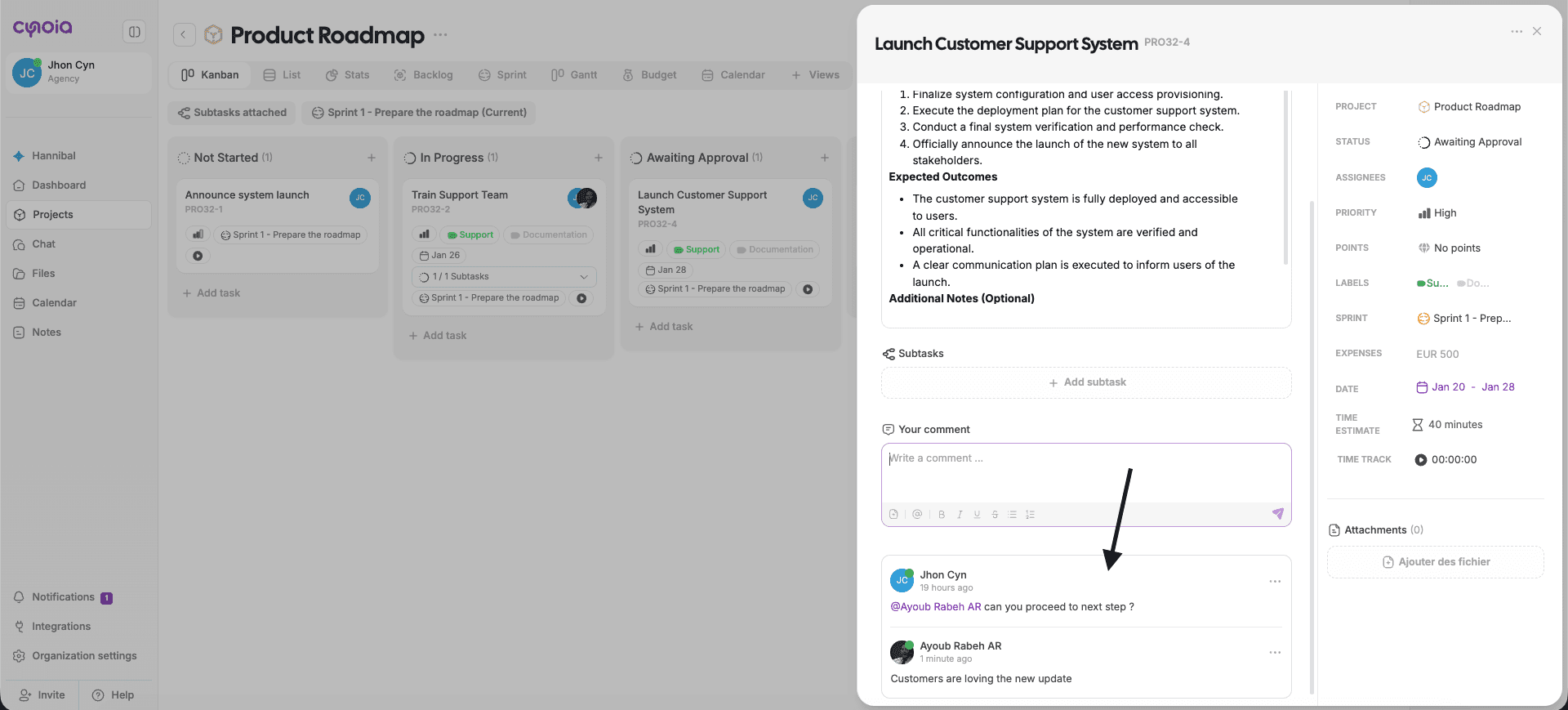
Comments
Comments are used to discuss work related to a task.
You can:
Ask questions
Share updates
Provide feedback
Clarify requirements
All comments stay attached to the task for easy reference.
Mentions
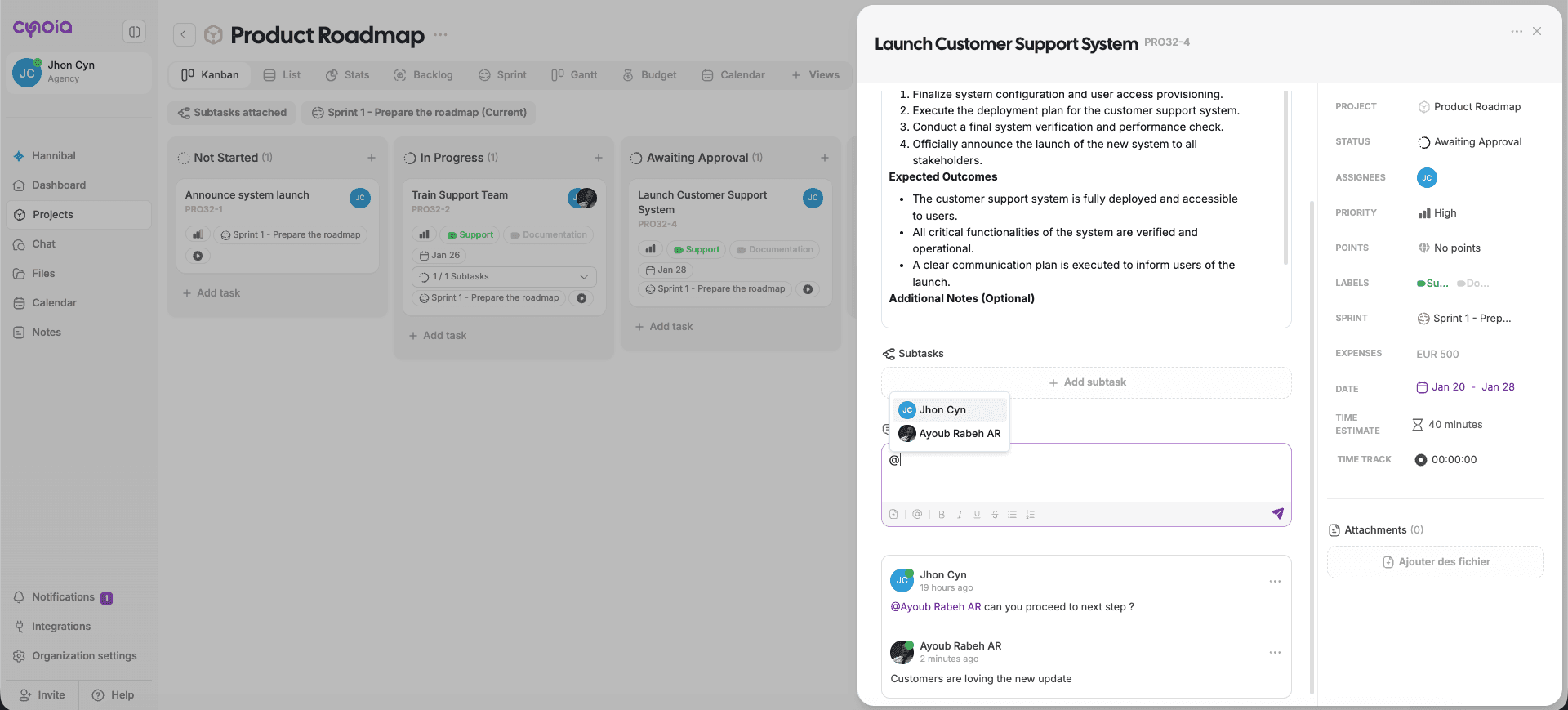
Mentions notify teammates and bring them into the conversation.
How to Mention Someone
Type @ in a comment or description
Select a team member from the list
Mentioned users receive a notification and a direct link to the task.
Use mentions to:
Request input
Assign responsibility
Highlight important updates
Activity History
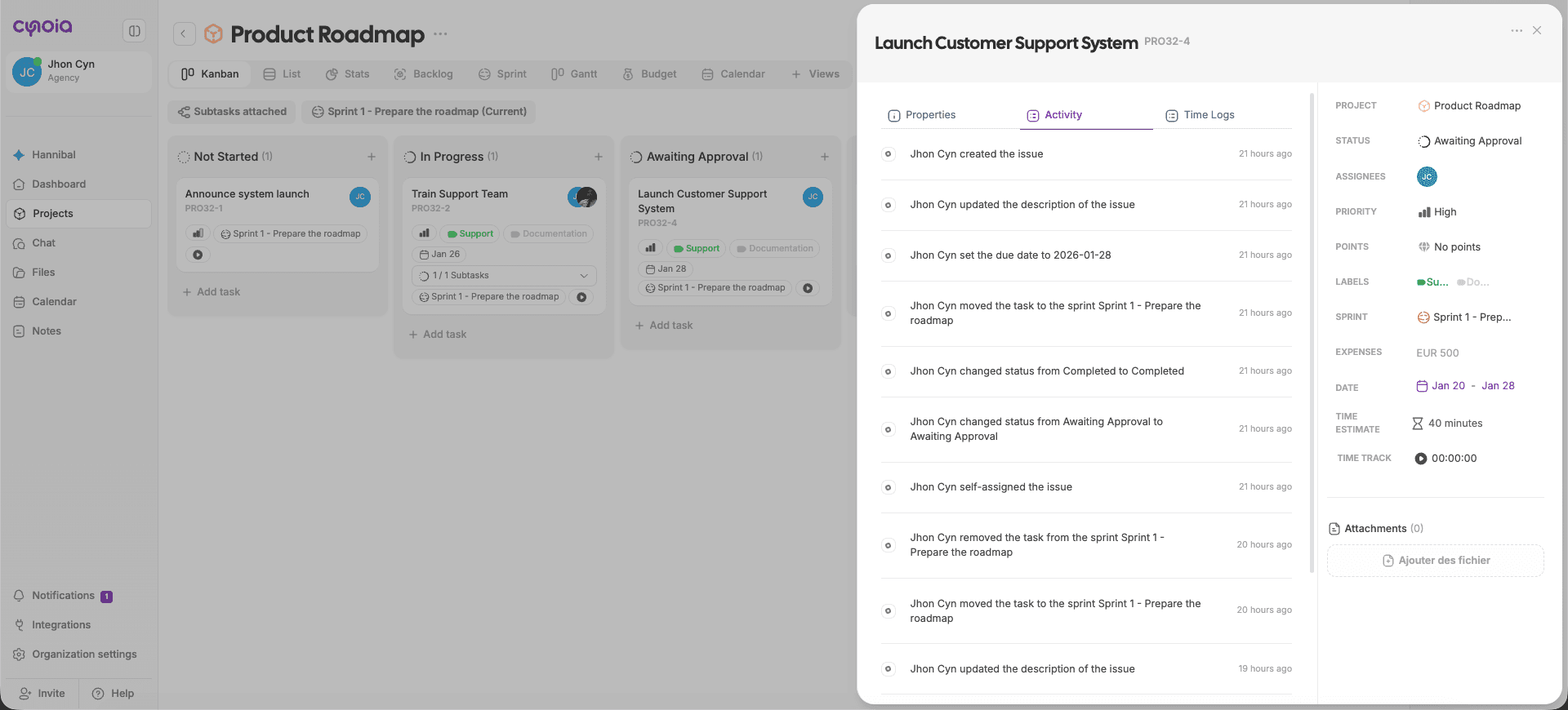
The Activity tab provides a complete timeline of everything that happens on a task.
It tracks:
Status changes
Assignee updates
Property changes
Comments
System actions
This ensures transparency and accountability.
Notifications
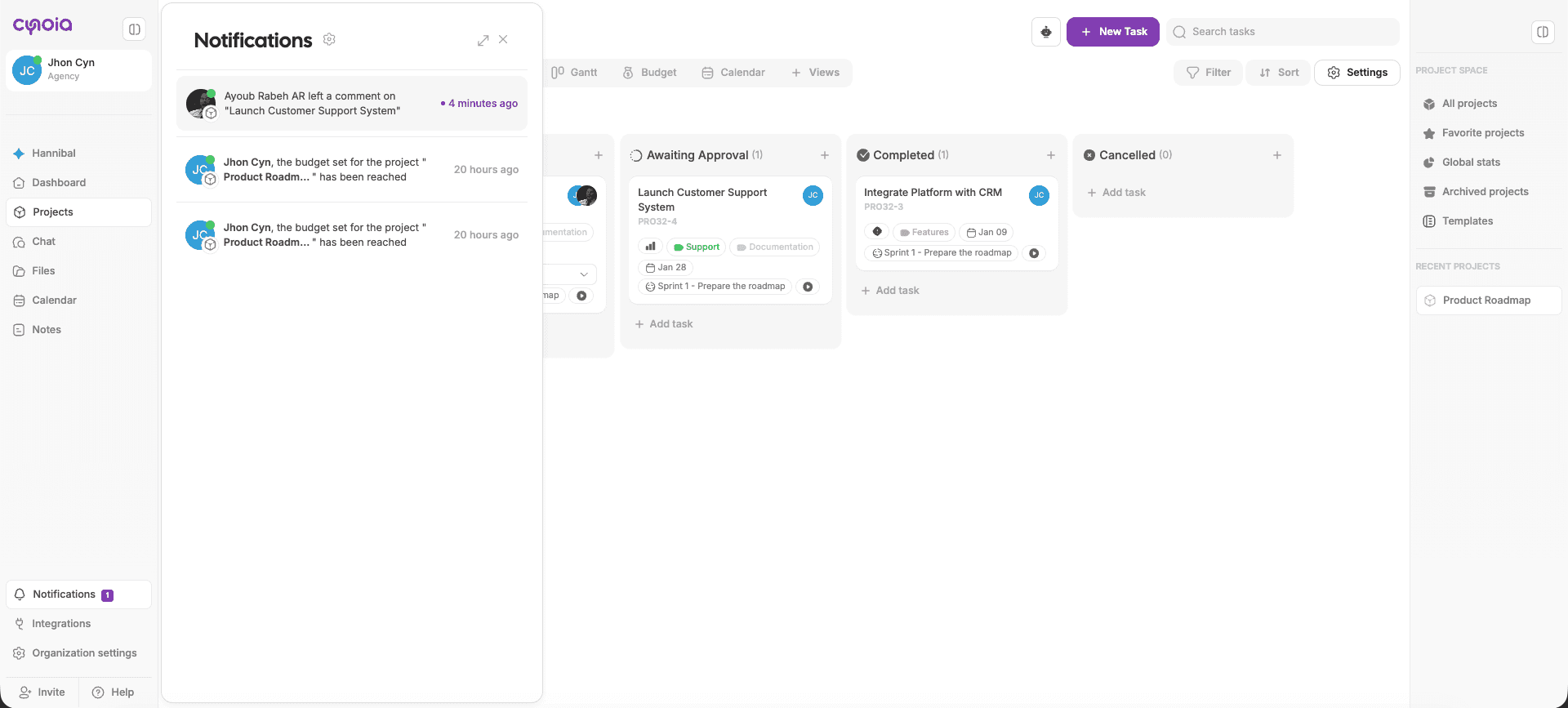
Cynoia automatically notifies users when:
They are assigned to a task
They are mentioned in a comment
A task they follow is updated
Automations trigger notifications
Notifications help teams stay informed without constant checking.
Keeping Conversations Organized
To collaborate effectively:
Keep discussions inside task comments
Avoid using chat for task-specific decisions
Use mentions to notify the right people
Update task status instead of sending follow-up messages
This keeps context clear and reduces confusion.
Collaboration Across Subtasks
Each subtask also supports:
Comments
Mentions
Activity tracking
This allows detailed discussions at every level of work.
Best Practices
Comment when you change task direction
Mention users instead of assigning blindly
Review activity before asking questions
Keep feedback constructive and clear
Close the loop by updating task status
What’s Next?
👉 Next article: Time Tracking & Time Logs
Learn how to track time spent on tasks and use time data effectively.
Related to Tasks & Work Management