Cynoia team
Subtasks & Task Hierarchies
Written by : Cynoia team
Subtasks help you break down complex work into smaller, manageable steps while keeping everything connected to a single parent task.
They are ideal for tasks that require multiple actions or contributors.
What Are Subtasks?
A subtask is a task that lives under a parent task.
Use subtasks when:
A task requires multiple steps
Different people handle different parts of the work
Progress needs to be tracked in detail
Subtasks keep work structured without cluttering your project.
Creating a Subtask
Steps
Open a task
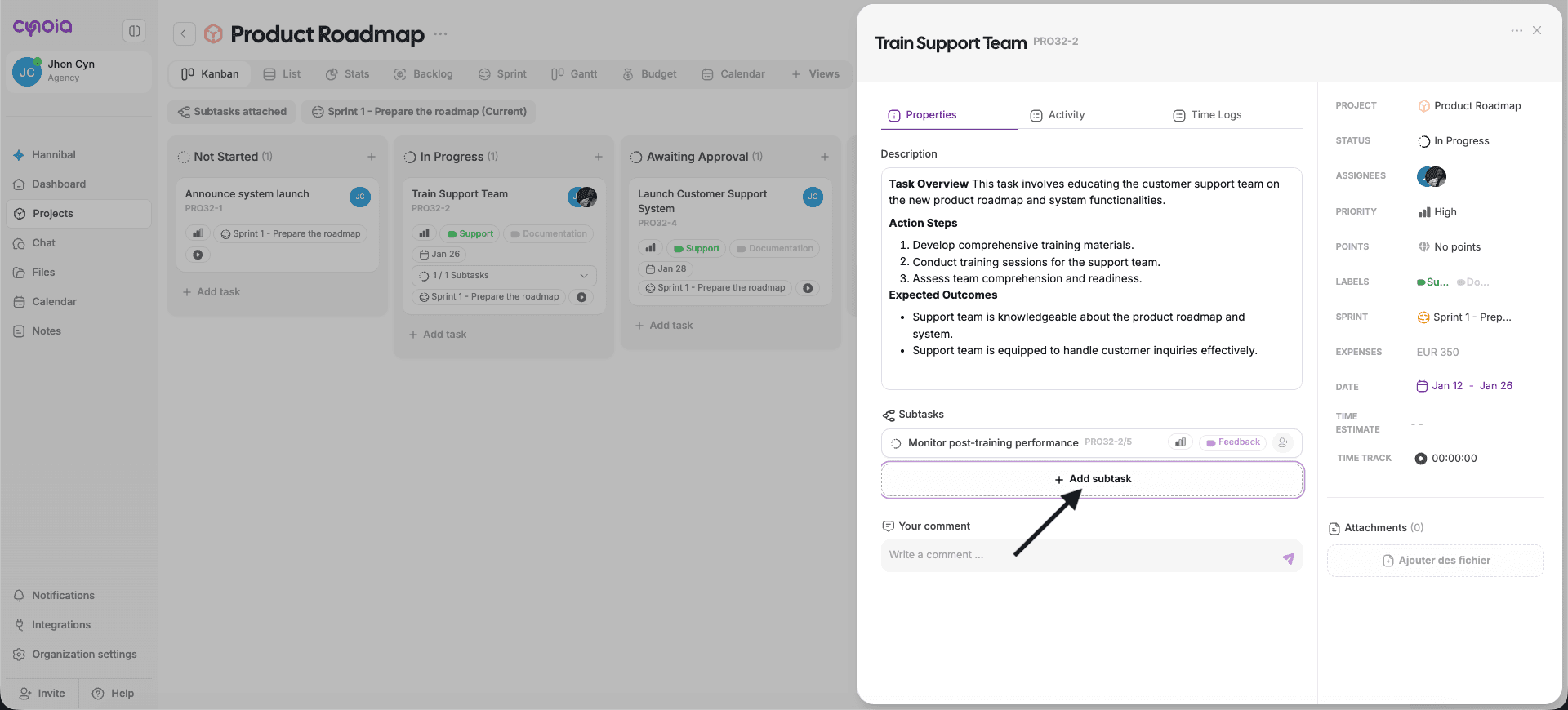
Scroll to the Subtasks section
Click Add subtask
Enter a subtask name and press Create task
The subtask is created instantly under the parent task.
What Subtasks Include
Subtasks behave like regular tasks and can have:
Status
Assignees
Priority
Labels
Dates
Comments
Activity history
Time estimate ( if enabled )
Budget ( if enabled )
Sprint ( if enabled )
Subtask Status & Synchronization
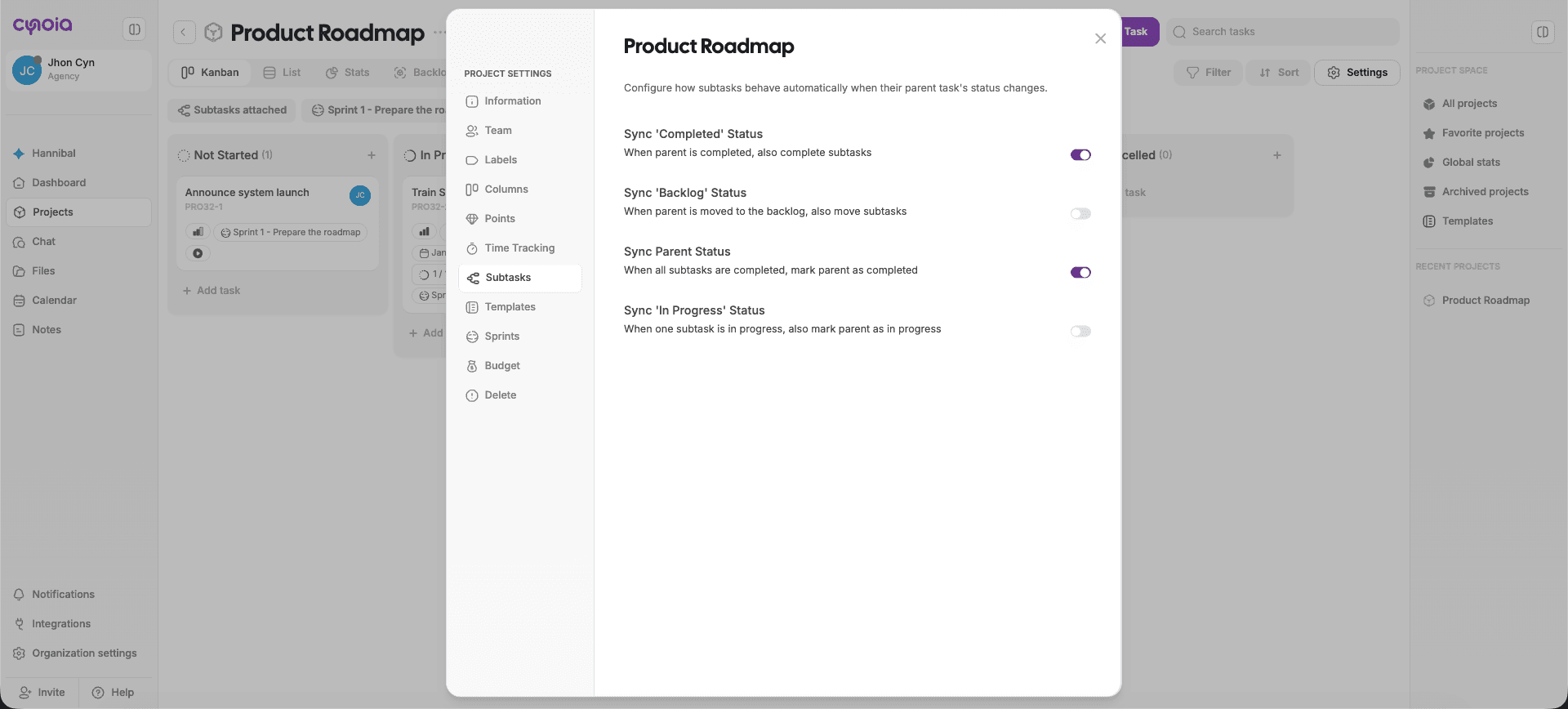
Subtask behavior depends on project subtask settings.
Possible behaviors include:
Parent task updates automatically when all subtasks are completed
Subtask status syncing with parent task status
Backlog and in-progress synchronization
These rules help keep task progress accurate.
Managing Subtasks
You can:
Reassign subtasks to different members
Update subtask status independently
Comment directly on subtasks
Track activity per subtask
Subtasks appear:
Nested under the parent task
As indicators in project views (Kanban, List, Gantt)
Tasks vs Subtasks - When to Use Each
Use a Task When:
Work can be completed as a single action
One owner is responsible
No breakdown is required
Use Subtasks When:
Work involves multiple steps
Different owners are needed
Progress needs granular visibility
Avoid creating subtasks for very small or trivial work.
Best Practices
Limit subtasks to meaningful steps
Assign owners to important subtasks
Keep subtask names clear and action-oriented
Use parent task description for overall context
Review subtask completion before closing parent tasks
What’s Next?
👉 Next article: Task Collaboration
You’ll learn how to collaborate using comments, mentions, activity history, and notifications.
Related to Tasks & Work Management